How to Delete a Facebook Ad Account: A Step-by-Step Guide 2026
Are Facebook ads “consuming” your budget without delivering the expected results? It is time for you to consider deleting your Meta ad account to avoid waste and re-optimize your marketing system.
Removing a Facebook ad account can be the right decision when you want to cut unnecessary costs, stop underperforming campaigns, or simply streamline your advertising structure. Whether you are a business owner struggling with ad performance or an individual wanting better control over your digital footprint, this process needs to be carried out carefully and correctly.
In this article, BlackHatWorld will provide you with a detailed step-by-step guide on how to safely delete a Facebook ad account, while sharing important notes to check before proceeding to avoid future risks.
Many advertisers want to delete Facebook Ads accounts. What is the reason?
Before diving into the technical steps, we want you and advertisers to clearly understand why more and more people are proactively deleting their Facebook ad accounts. In fact, this is not an impulsive action, but often stems from very practical issues during the advertising process.
Save budget for ineffective campaigns
The most common reason why many advertisers decide to delete Facebook Ads accounts is to avoid continuing to “burn money” on poor-performing or forgotten campaigns. For example, you might have tested a dropshipping product for a few weeks without any orders, but the campaign remains, and sometimes the budget is still deducted if settings are not strictly controlled. In this case, completely deleting the ad account helps you terminate the risk of unnecessary cost loss entirely.
Simplify management when having too many accounts
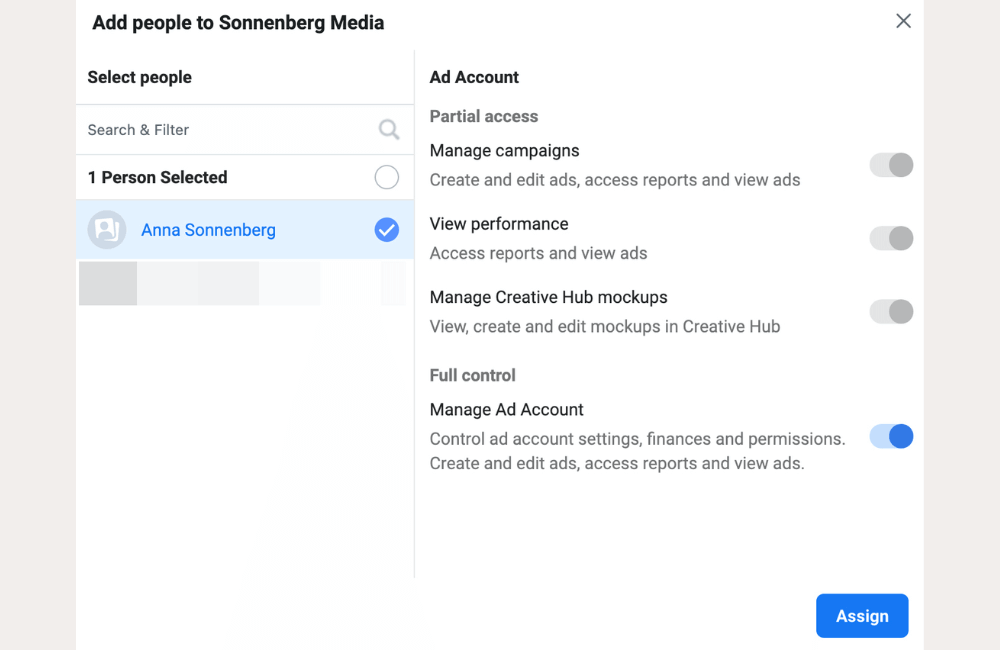
For professional advertisers or agencies, owning multiple ad accounts and Business Managers is very common. However, the more accounts there are, the more complex it becomes to manage access permissions, payment methods, and ad history. We have encountered many cases where advertisers forget an old account, leading to confusion during payment or permission assignment. Deleting unused accounts helps make the system neater and significantly reduces operational risks.
Handle policy violations and account restrictions
Some ad accounts are flagged for policy violations, restricted in spending, or even permanently disabled. In these situations, trying to “save” a clinically dead account sometimes only wastes more of your time and effort. Many advertisers choose to delete old accounts to start over, building a cleaner new system and complying better with policies, especially when running sensitive niches.
Moving budget to other ads platforms
Facebook Ads is not always the most suitable channel. There are periods when B2B products perform better on LinkedIn Ads, or search campaigns yield higher efficiency on Google Ads. At that time, deleting or stopping the use of Facebook Ads accounts helps you concentrate resources and budget on platforms that are generating higher profits, instead of spreading them thin and inefficiently.
Cleaning up old accounts and unused projects
Many ad accounts are created for short-term projects, testing campaigns, or abandoned business ideas. Over time, these accounts become “digital clutter” within Business Manager. Deleting them not only makes the management interface tidier but also reduces the risk of confusion, especially when you need to grant access to new personnel or partners.
Whether your reason is cost-saving, system restructuring, or shifting marketing strategy, deleting a Facebook ad account is a logical step if done correctly. Most importantly, it helps you refresh your mindset, allocate budget more intelligently, and focus on channels that truly deliver business value.
How to Delete a Facebook Ad Account: A Step-by-Step Guide 2026
During the process of running advertisements, many advertisers and businesses realize that some Facebook ad accounts are no longer suitable for use. Whatever the reason, deleting an account needs to be performed according to the correct procedure to avoid risks regarding data, access rights, and related accounts. The operations are quite simple, but you should read carefully and proceed slowly so as not to miss important options such as downloading data or checking linked applications.
Step 1: Access Facebook Account Settings
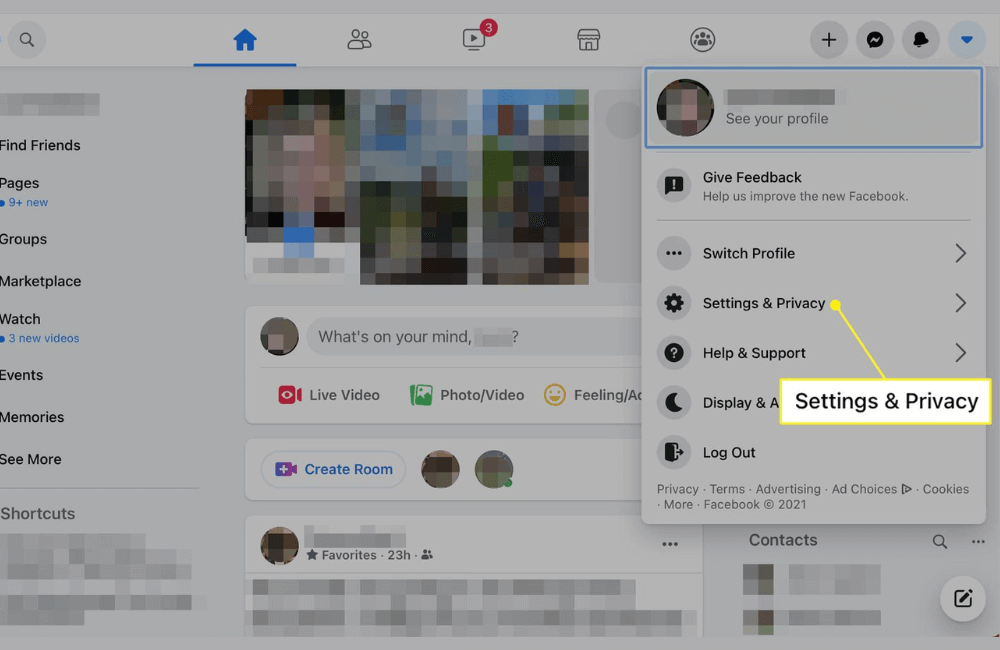
First, please open the Facebook application on your smartphone. After logging in, tap the menu icon in the lower right corner of the screen. This is where most settings related to personal accounts and privacy are concentrated. Next, scroll down and select the Settings & privacy section, then tap Settings to access the detailed dashboard of the account.
Step 2: Enter Meta Accounts Center
In the Settings interface, please find and tap Accounts Center. This is the area Meta uses to manage Facebook accounts, Instagram, and other linked services within the same ecosystem. Here, in the Account settings section, select Personal details, then continue to tap Account ownership and control. This is where you can manage the most important rights, including deactivating or deleting accounts.
Step 3: Choose to Deactivate or Delete your account
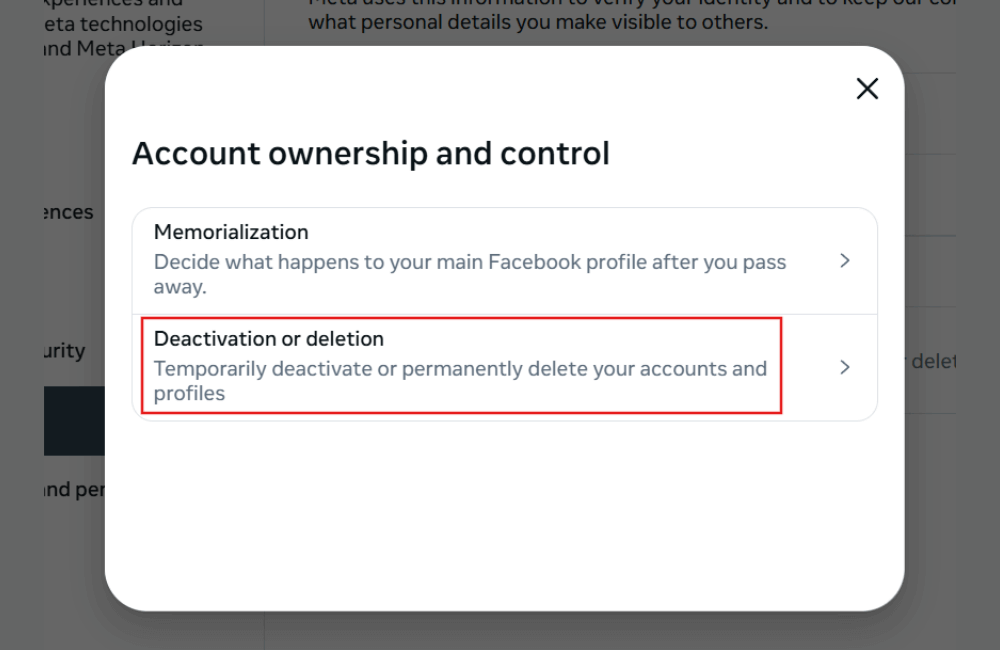
After accessing the Account ownership and control section, click on Deactivation or Deletion. Facebook will display a list of linked accounts, and you need to select the specific account you wish to delete. At this point, the system will provide two options: temporary deactivation or permanent account deletion. If you only want to stop using the service for a period of time, deactivation is the safer option. However, if you have decided not to use it anymore, select permanent deletion and then click Continue.
Step 4: Confirm the reason and review options before deletion
Facebook will ask you to select a reason for deleting your account. This is just an information-gathering step; you can choose the reason that best fits your situation and then click Continue.
Before complete deletion, the system will suggest several important options that advertisers should not overlook. For instance, you could choose temporary deactivation instead of deletion, review your activity log to see if any data needs saving, download all posted information and photos, or transfer a copy of your data to other services like Google Docs or Dropbox. Additionally, you should check the apps and websites where you have logged in using Facebook to avoid losing access later.
Step 5: Confirm account deletion
If you still wish to proceed with the deletion after reviewing all options, click Continue to confirm. Facebook will require you to re-enter your password to ensure this action is performed by the account owner. Click Delete account to complete the process. From this moment, your account will be placed in a pending deletion status.
Step 6: Notes after deleting your account
After confirmation, your Facebook account will be scheduled for permanent deletion. Meta allows you approximately 30 days to change your decision. During this period, if you log in again using your old email and password, the account will be reactivated as before.
This is particularly useful in cases where advertisers accidentally delete an account or need to restore it to check data, invoices, or old advertising history. After the 30-day period, the account will be completely deleted and cannot be recovered.
Deleting a Facebook ad account is not too complicated if you follow the correct process and understand the associated consequences. We hope that with the step-by-step instructions above, you can proactively manage your ad accounts, avoid unnecessary risks, and make the most appropriate decisions for your advertising activities in 2026.
Frequently asked questions
No. Once an ad account has been permanently deleted, you will not be able to restore it. In cases where you are only temporarily not using the account, we recommend choosing to deactivate instead of deleting it.
No. Deleting an ad account only impacts advertising activities and does not result in the loss of your personal Facebook account or linked fanpages.
💬 Contact now for free consultation from BHW!
- Website: https://vi.blackhatworld.io/
- Telegram: @bhw_agency
- Whatsapp: +84819001811
- Wechat: bhwagency
- Email: [email protected]
This article is also available in other languages:


