How to Put an Ad on Facebook Marketplace to Sell Your Items Fast

Marketplace is becoming one of the most effective Facebook ad placements for individuals and small businesses thanks to its ability to reach buyers quickly, meet specific needs, and remain completely free at the listing stage. However, not everyone who lists products on Marketplace succeeds in making a sale; in fact, many posts quickly drop in visibility or fail to reach the right buyers. The reason lies in the posting method, content optimization, and how the Facebook Marketplace display algorithm is utilized. In this article, BlackHatWorld will guide you on how to post ads on Facebook Marketplace to sell items fast, along with practical experience to help increase views, inboxes, and close deals more effectively.
Most effective Sales System for Facebook Marketplace 2026
In this section, we share a sales model that has been practically implemented, optimized for speed, proactivity, and time-saving. However, we need to be clear from the start: this system is only suitable for those who accept customers coming to pick up items at their home, also known as porch pickup.
If you are not comfortable with this method, that is perfectly fine. Everyone has a different safety threshold. But if your goal is to sell fast with minimal effort and without wasting time on back-and-forth appointments, then this is a strategy well worth considering.
Core Mindset behind the Porch Pickup Sales System
The core mindset behind the porch pickup sales system is that we do not meet buyers at supermarket parking lots, drive to police stations, or wait at fast-food restaurants only for the buyer not to show up. For many advertisers and us, time is the most valuable asset. If selling a local item costs you dozens of minutes in travel and waiting time, the actual profit is nearly zero.
Therefore, this system is built around a single principle: the buyer arrives, picks up the item themselves, and leaves the money. The seller does not need to appear, engage in long conversations, or change their personal schedule.
How does Porch pickup work in practice?
The process is extremely simple. When the buyer confirms they will collect the item, we place it on the front porch. The buyer arrives at their convenience, takes the item, and leaves the cash under the doormat. Whether they arrive after 5 minutes or 5 hours, it does not matter. Once the item is placed outside, we no longer need to think about it until it is picked up. This method completely frees up time and mind, making it especially suitable for those who sell many items per week.
Safety concerns and the reasons why we still choose Porch Pickup
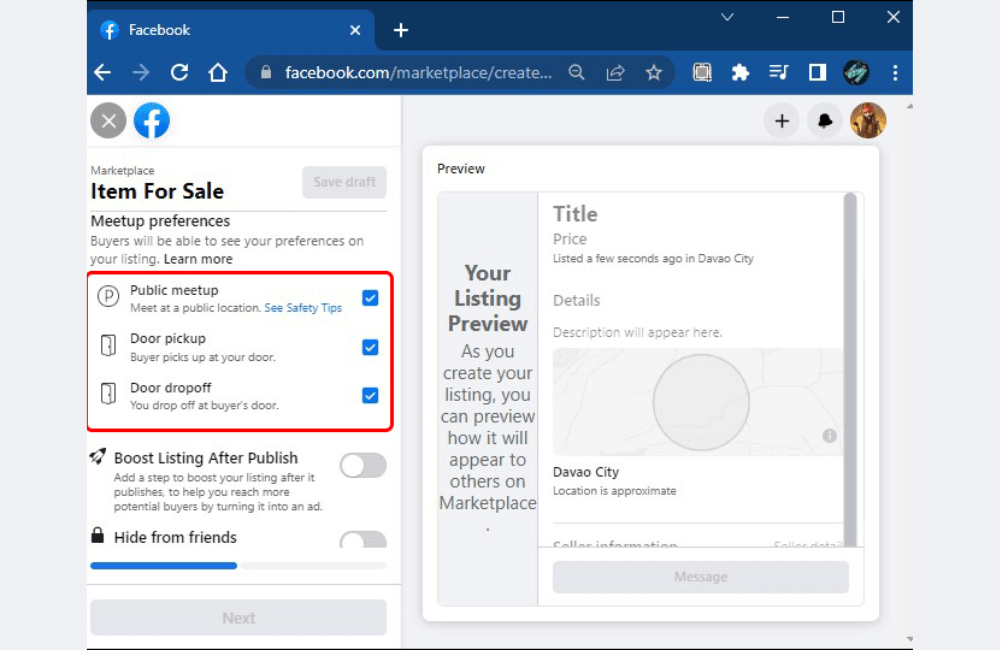
We understand that not everyone is comfortable with providing their home address to strangers. This is a completely legitimate concern. However, looking at it practically, a home address in a normal residential area is not secret information. Buyers know almost nothing about you, except that you are selling a specific item.
We also have very clear rules. High-value items such as phones, laptops, or expensive electronic devices will not use porch pickup. For those products, meeting in a public place like a police station is a safer option. But this system is not intended for such goods. We focus on local, bulky items that are difficult to transport and unattractive to bad behavior, such as patio furniture, dehumidifiers, outdoor fire pits, or shelving units. These are products with moderate value, real demand, and low risk.
To increase peace of mind, we use a full camera system. Driveway cameras, smart doorbells, and motion alerts are sent directly to the phone. Consequently, we know exactly when someone arrives, when they take the item, and whether they leave the money. In practical operation, this helps reduce risk to a very low level. If an issue arises, you always have clear evidence to handle it. For many advertisers or professional sellers, this is a completely acceptable trade-off compared to the amount of time saved.
Why not ship items via Facebook Marketplace?
We do not use the shipping method on Facebook Marketplace. For items that can be shipped easily, we list them on eBay or other platforms, where selling prices are usually higher and shipping processes are standardized. Marketplace is used for its intended role of selling locally in a fast, simple, and low-effort manner. When combined with porch pickup, sales performance increases significantly without needing to expand the team or incur extra costs.
If you want to sell locally without providing a home address, there is almost no other option but to greatly increase effort and time. You will have to make appointments, travel, wait, and handle unexpected situations. We accept a trade-off of partial absolute security for efficiency and proactivity. However, this does not mean it is a mandatory choice for everyone. If you are not suited for porch pickup, please choose another model that better fits your lifestyle and risk tolerance level.
How to Put an Ad on Facebook Marketplace to Sell Your Items Fast
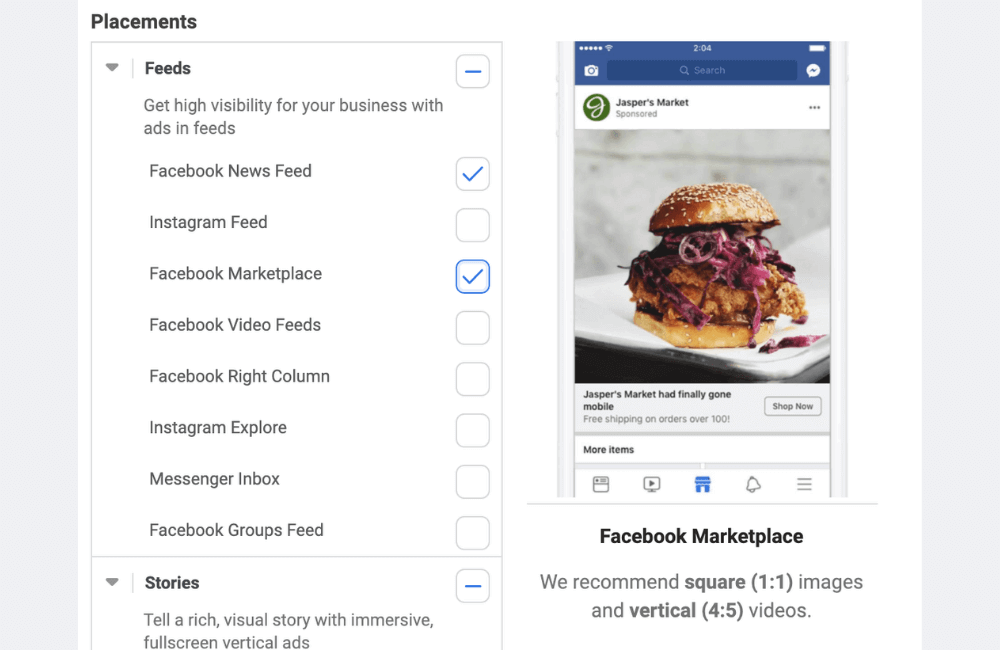
Facebook Marketplace is where buyers with real needs search for products every day. Therefore, if you post correctly with clear images and complete information, the likelihood of getting into inboxes and closing deals will be much faster than regular posting on a personal profile.
Step 1: Access Facebook Marketplace
Log in to your Facebook account. On the main interface, on the left side of the screen, you will see the Marketplace section. Simply click here, and Facebook will display the entire list of products being offered for sale around your area, along with listing options.
This is where buyers actively search for products, so appearing on Marketplace helps your post reach the right customer base with actual needs, instead of only showing to friends like a personal post.
Step 2: Create a new Sales Listing
After entering Marketplace, in the left column, click the Create new listing button. Here, Facebook will let you choose the post type that fits the product you are selling.
You can select Item for sale if selling regular products, Vehicle for sale for vehicles, or Property for rent for real estate rentals (this is also an effective strategy for the real estate industry on Facebook). Each type will have its own information section, pre-optimized by Facebook so that buyers can easily filter their search. In this example, we select an Item for sale because we are selling a common consumer product.
Step 3: Enter basic product information
When selecting an Item for sale, you will start filling in information for the post. First are the title, price, and product category. For example, if you sell handicrafts, electronics, children’s items, or pet accessories, choose the correct corresponding category.
Choosing the right category helps Facebook distribute your post to the right group of buyers looking for that product. This is a crucial factor if you want to sell quickly without running paid advertisements.
Step 4: Add clear and realistic product images
Images are the deciding factor in whether a buyer stops to view the post. You should take clear, well-lit, and realistic product photos.
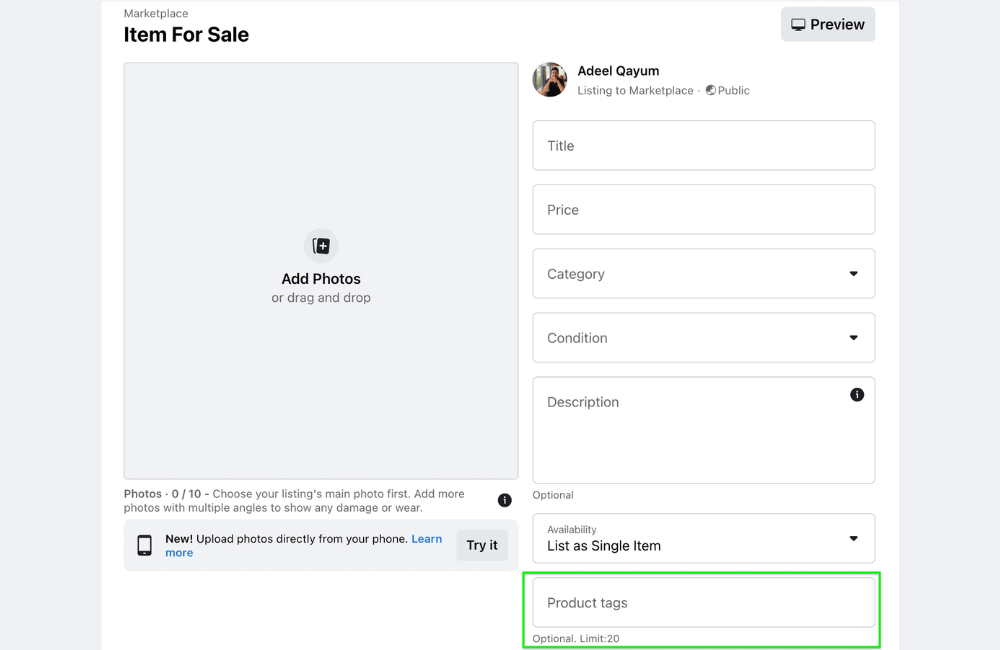
For example, if we are selling a pair of shoes, take photos from different angles, such as the front, side, sole, and actual condition. Then click Open to upload the photos. Facebook allows multiple photos to be posted, and we recommend using at least 3 to 5 photos to increase credibility.
Step 5: Set an attractive title and price
Next, create a concise but focused title. For example, we use the title White sneakers so buyers can immediately understand what the product is. Regarding the price, you can enter it according to the currency you are using. For instance, if selling in the US, you can set it at approximately $120. The price should be clear; avoid being vague because buyers on Marketplace usually prioritize posts with specific prices.
In the detailed category section, you can select Clothing, shoes & accessories, then further choose men’s shoes, sneakers, fashion shoes, or casual shoes, depending on the product.
Step 6: Complete detailed product information
The product condition section is very important. You should select New if it is a new item, or Used if it is a pre-owned item. This helps avoid misunderstandings and reduces the rate of returns or negative feedback.
Next is the size, for example, size 10 or 10½ for shoes. For the description, we advise advertisers to write as detailed as possible. Examples include the color white, material, shoe shape, and suitability for school, work, or going out. If there is a shoe style category, such as casual or sneaker, that you are unsure about, you can skip it to avoid entering incorrect information.
Step 7: Select location and delivery method
In this step, please enter the sales location so that Facebook can prioritize displaying the post to buyers near that area. This is a huge advantage of Marketplace compared to other channels. Below, you can choose delivery methods such as meeting in person, door-to-door delivery, or in-store pickup. If desired, you can also share this post with friends to increase initial reach.
Step 8: Review and publish the listing to Marketplace
After completing the information, click Next. Facebook may request additional images or videos to improve the post quality. Once eligible, simply double-check the description, for example, keeping it simple as White sneakers. Next, you can choose to post only on Marketplace or share it further in groups suggested by Facebook. If you do not wish to, you can skip this step. Finally, click Publish to post.
Step 9: Verify the listing is successfully displayed
Wait a few seconds for Facebook to process, and your post will appear on Marketplace. At this point, the product is ready to reach buyers in your area. From here, you just need to monitor messages, respond quickly, and provide clear advice. When a post is properly optimized, getting inboxes and making sales on Facebook Marketplace will happen much faster.
Selling on Facebook Marketplace will bring fast results if you follow the correct process, optimize images, provide clear descriptions, and choose the right product categories. With just one quality post that meets buyer needs, you can absolutely receive regular inboxes and make sales without spending additional advertising costs. Apply the above steps immediately to maximize the power of Facebook Marketplace.
Frequently asked questions
The causes usually stem from low-quality images, unclear titles, incorrect categories, or inaccurate sales locations. Re-optimizing these factors will help the post reach more people.
It is possible, but you should not post too frequently in a short period. It is best to edit and refresh the content or images and repost after a few days to avoid being flagged as spam by Facebook.
💬 Contact now for free consultation from BHW!
- Website: https://vi.blackhatworld.io/
- Telegram: @bhw_agency
- Whatsapp: +84819001811
- Wechat: bhwagency
- Email: [email protected]
This article is also available in other languages:


