Best Time to Run Facebook Ads: Data-Backed Hours for Max Conversions 2026
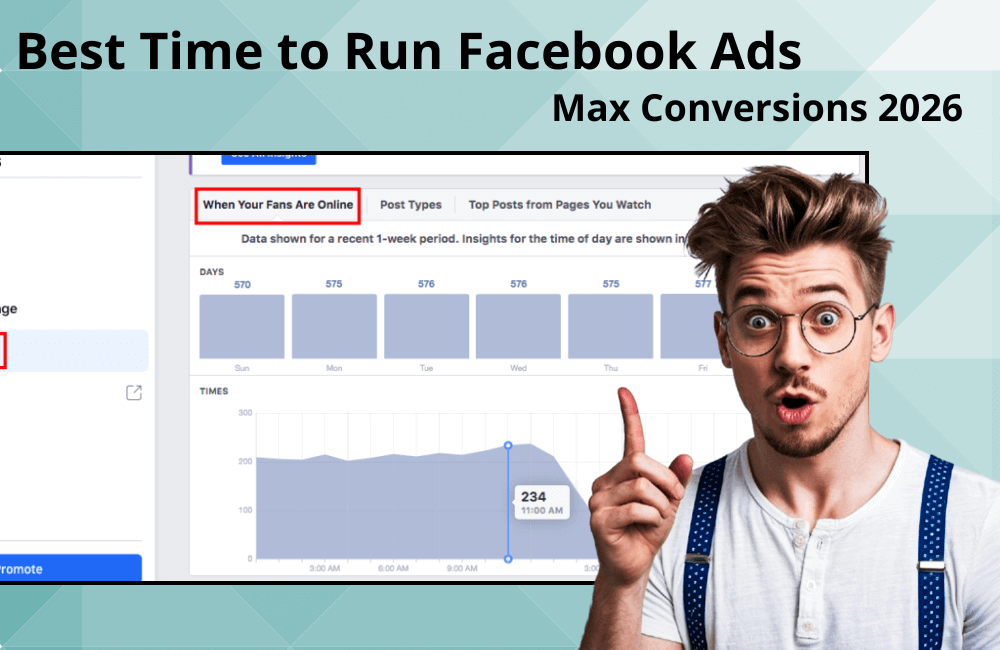
So, how long should a Facebook ad run to achieve the best results? This is a question we frequently receive from advertisers and clients when they start a campaign. Many people wonder: “Is there an ideal timeframe that helps ads achieve the highest conversion rate?” In reality, the answer is not simple, as ad effectiveness depends on many factors such as campaign goals, budget, audience pool, and the optimization phase of the campaign. In this article, BlackHatWorld will analyze the most suitable Facebook ad runtime for each case and guide you on how to determine the ideal campaign duration based on actual data from the Meta platform.
How long is the best time to run Facebook ads?
First of all, we want to emphasize that there is no single formula or fixed timeframe that applies to every Facebook ad campaign. It cannot be said that running for “1 week,” “2 weeks,” or “1 month” is enough, because the effectiveness of the ad depends on many factors, such as the customer segment, budget, campaign objective, and how the killer ad campaign is performing.
Typically, we will run ads for the first 7 days to gather initial data. After this phase, we evaluate the performance of each ad creative, pause underperforming ones, and keep those that yield the best results. For example, in a testing campaign:
- Ad 1 and 2 performed poorly, with a low click-through rate (CTR) and high cost per result → we pause them.
- Ad 3 and 4 yielded better results, bringing more conversions at a stable cost → we keep them.
Next, we create new ad creatives (e.g., ad 5 and 6) to continue testing in parallel with ad 3 and 4. Suppose initially ad 1–2 were static images and 3–4 were videos, and the data shows that videos are more effective. In that case, we will focus on creating more video ads to validate and scale the results.
During the run, if ad 4 starts to decline in performance after one week while ad 3 maintains good results, we will continue to keep ad 3 and pause 4, 5, and 6, simultaneously preparing new versions for testing. This cycle is continuously repeated, and with each test, we will change one different element, such as the format, headline, visual, or copy.
So how long is “enough” to run a Facebook ad?
The answer is: it depends entirely on the actual performance. If an ad still delivers stable results, optimized costs, and a high conversion rate, you can absolutely continue to run it long-term.
In fact, we have had ads that ran stably for several months, with some even maintaining effectiveness for over a year without much modification. However, the majority of ads only maintain good performance for about 1–2 weeks, while truly strong ad creatives can last from 2–4 months.
The most important thing is to always monitor the actual data in your ad account. Do not rely on a fixed timeframe, but let the performance and user behavior itself determine when to stop or scale the ad.
Experience in determining the ideal time to run ads based on specific cases.
The answer to the question, “How long is enough to run Facebook ads?” truly does not have a fixed number. The ideal duration highly depends on the campaign type, budget, customer file, and especially how Facebook optimizes your data. Therefore, we will go through a few practical situations with you to better understand how to determine the “sweet spot” for ad running time.
Case 1: Running the ad for 24 hours and then turning it off.
Many advertisers, especially those new to running Facebook ads or doing dropshipping, often turn off campaigns after only 24 hours because they do not see any orders. However, this is actually a major mistake.
Facebook needs time to collect data and optimize the ad. If you stop too early, the system has not had time to learn how to deliver content to the group of people most likely to purchase. In our experience, the minimum time for Facebook to start optimizing effectively is 3 days.
Example: One of our clients in the cosmetics industry panicked when there were no orders after the first day. However, after letting the ad run for 2 more days, the cost per result dropped by nearly 40%, and revenue began to increase steadily. Therefore, be patient and do not turn off the ad without sufficient data for analysis.
Case 2: Test for 7 days and evaluate the effectiveness
If, after 7 days of testing, the ad brings profit and stable performance, you are on the right track. Previously, many people used the “forced spend” method, meaning they set a compulsory budget to spend completely to see if the ad was effective or not. But in our opinion, a data-driven approach over 7 actual days is much more effective. Pay attention to the overall performance metrics rather than just looking at a few isolated figures like CPM or CTR.
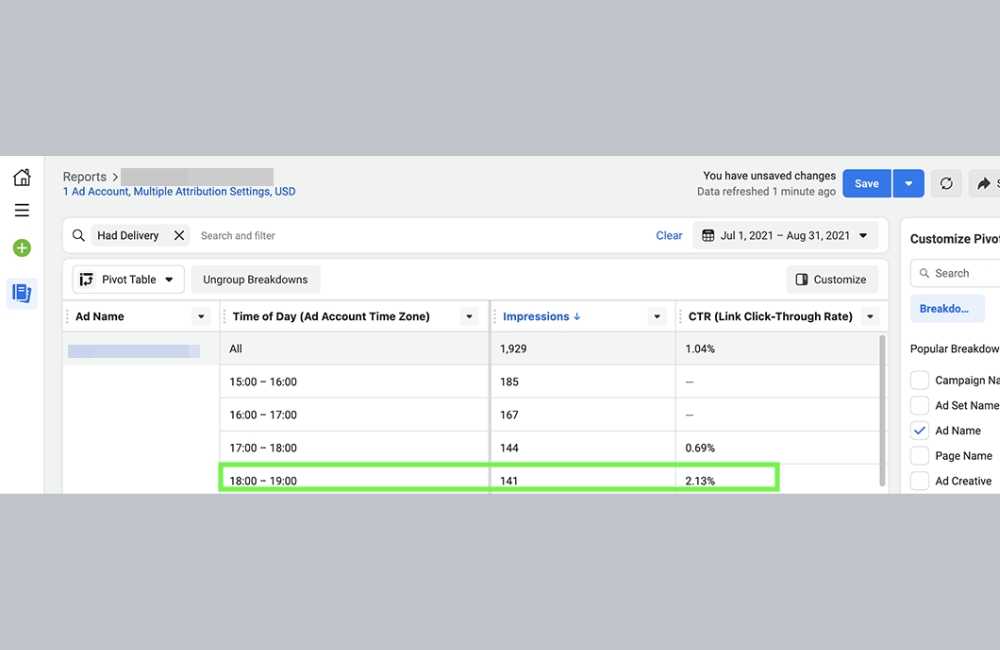
After 3 days, if the ad has no significant interaction or very low spending, the likelihood is high that it is not effective. In our experience, a good ad usually “catches the signal” within the first 48 hours. If there are still no signs of improvement after 3 days, boldly turn it off to avoid wasting budget.
Conversely, if you see the expenditure gradually increasing day by day, that is a sign that Facebook is learning and distributing better. At that point, let the ad run for a full 7 days and then evaluate it comprehensively:
- Is the performance improving?
- Is the CPA (cost per acquisition) decreasing?
If the cost increases and effectiveness decreases, pause it to review the content, customer file, or landing page.
Case 3: Ad data suddenly becomes bad
In some cases, ads can have a rapid negative impact. For instance, if after the first 24 hours, the ad consumes a large budget but the overall account performance sharply declines, you should turn it off immediately.
We once had a client selling fast-moving consumer goods, who received hundreds of negative comments when running a new ad creative. Facebook prioritized displaying that ad because of “high engagement,” which severely affected the brand image. In such a situation, turning it off early is the right decision.
Case 4: When the ad “explodes” after only 1 day
Some campaigns succeed brilliantly after just 24 hours. Examples include ads based on trends or those carrying strong emotional elements (“gift ads”, “product ads for loved ones”, “skin care ads”), which often “catch the wave” extremely quickly.
If you see the CPA continuously decreasing and performance clearly increasing after just one day, that is a sign the ad is heading in the right direction. At that point, you can certainly increase the budget to scale up. However, if the CPA starts to rise again after a few days, be cautious because performance may be hitting the saturation point.
A guide to analyzing ad timing data from Meta using AI.
Analyzing ad data on Facebook not only helps us understand how the campaign is performing but also helps determine the golden time to optimize ad effectiveness. With the support of AI and tools like ChatGPT, Claude, or Gemini, this has now become easier and faster than ever.
Step 1: Combine “day of the week” and “time of day”
Many people ask, “Can I view both the day of the week and the time of day simultaneously?” and the answer is absolutely yes. Follow these steps:
- Click Breakdown.
- Select a Day.
- Then select the Time of Day (Viewer’s Time Zone).
When you do that, you will have a report combining both the day and time factors, helping you know which day and which time the ad performs best. However, the data table can be quite long and messy because it is broken down by each campaign. To process and aggregate this data, you can choose one of two ways:
- The manual way: Export the data to an Excel file, convert the date column to the day of the week (Monday, Tuesday, etc.), and then create a pivot table to conclude.
- The modern way: Use ChatGPT, Claude, or Gemini (the version with CSV file analysis support). This is the fastest, most accurate, and most impressive method when you need to report to clients or present internally.
Step 2: Analyze data files with AI
Assuming you already have the ad data file, including metrics such as date, hour, impressions, clicks, CTR, CPC, CPM, etc. Here are the steps to follow:
Clean up the data: Delete empty columns and save the file as a .csv file. For example, name it meta_ads_data.csv.
Open an AI tool like ChatGPT or Claude.
Upload the CSV file and enter suggested commands like:
- “Summarize performance by day of the week.”
- “Summarize by time of day.”
- “Please indicate which day and hour has the highest ad effectiveness.”
AI will automatically read the data, create summary tables, and analyze charts in just seconds, instead of you having to do it manually for hours. After processing, the AI will provide you with a visual data table including:
- Performance by day of the week
- Click-through rate (CTR)
- Cost per click (CPC)
- Cost per mille (CPM)
For example, the AI can yield the following results:
- Best day of the week: Tuesday – with the highest CTR and lowest CPC.
- Thursday & Saturday: Stable performance, suitable for budget expansion.
- Sunday: Yields high ROI but a lower CTR.
- Most effective time frame: Afternoon from 2 p.m. to 7 p.m., average CTR of 5.3%, optimal CPC.
Step 3: Customize the chart as required
The AI also allows you to customize charts on demand. You can enter commands such as:
- “Create a combo chart showing the number of clicks as bars and CTR as a line.”
- “Create a chart showing clicks by hour and the corresponding CTR rate.”
Immediately, the system will generate a professional illustrative chart, ready for you to download or screenshot to include in reports, proposals, or presentations with clients. For example:
- The horizontal axis displays the days Monday → Sunday.
- The blue bar represents the number of clicks.
- The blue line displays the CTR by time frame.
Thanks to this, you can easily present visual data, create a strong impression, and make faster decisions for the next campaign.
Determining the best time to run Facebook ads not only helps save budget but also significantly optimizes conversion efficiency. By leveraging actual data and smart analytical tools, advertisers can make more precise decisions instead of relying on intuition. Regularly monitor and adjust campaigns based on new data to ensure efficiency is always at the highest level in 2026.
Frequently asked questions
Potentially, if your target customer base is active in the evening. However, you should check data from Meta to clearly identify which time frame yields the best conversion rate.
We recommend you re-analyze data every 2–4 weeks to update user behavior trends, especially during seasonal campaigns or major promotional periods.
💬 Contact now for free consultation from BHW!
- Website: https://vi.blackhatworld.io/
- Telegram: @bhw_agency
- Whatsapp: +84819001811
- Wechat: bhwagency
- Email: [email protected]
This article is also available in other languages:


