How to Write a Facebook account restricted appeal That Works
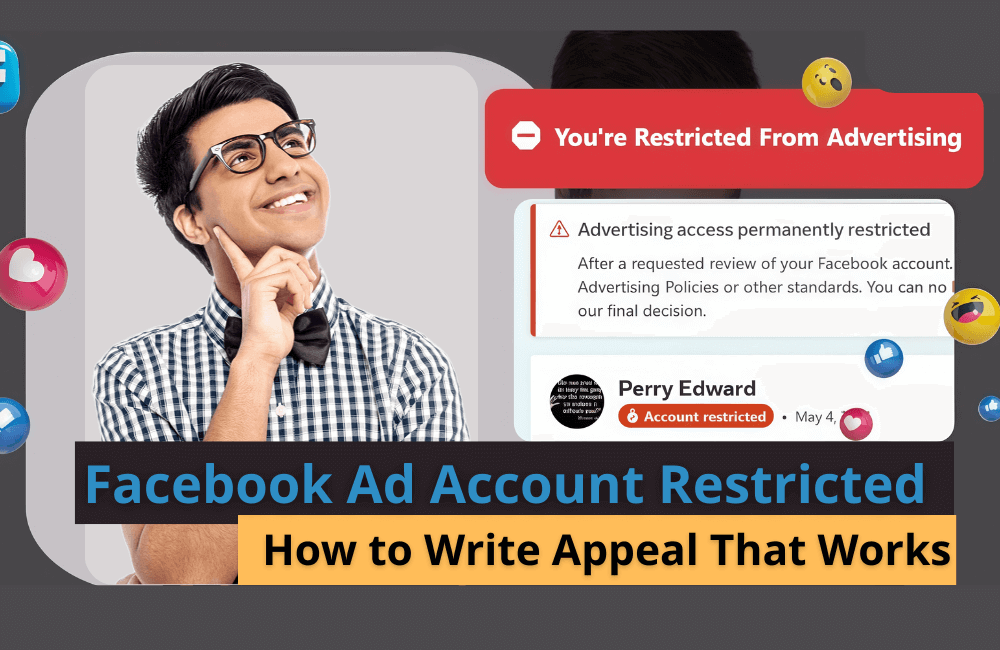
When your Facebook account or advertising account is suddenly restricted, feeling confused and stuck is very common, especially for individuals and businesses that rely on Facebook to sell products and generate leads. However, an account restriction does not mean you have “no way back.” In many cases, the problem lies in the fact that your appeal is not focused or has not clearly conveyed your goodwill to comply with Meta’s policies. In this article, BlackHatWorld will guide you on how to write an appeal to recover a restricted Facebook account, helping to increase the chances of being approved as soon as possible.
How to know if my Facebook Ads account is being restricted?
As the first step, access Ads Manager at adsmanager.facebook.com and ensure that you are in the correct advertising account that needs to be checked.
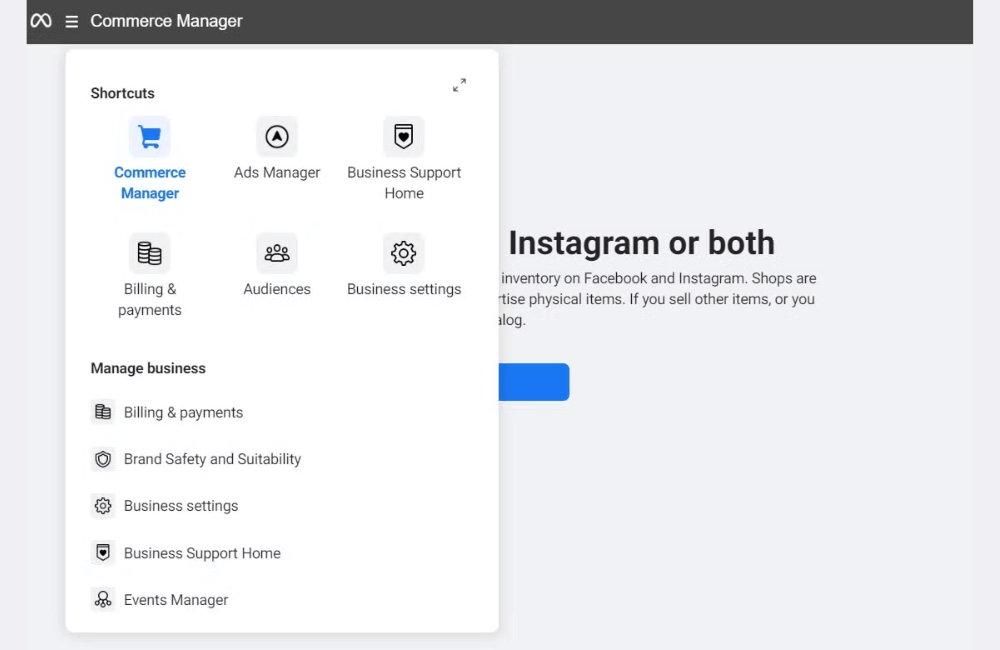
Next, in the left menu bar, we click on All Tools, then find and select Business Support Home. This is the official support center of Meta, where the entire status of your advertising assets is displayed. In case you do not see Business Support Home in the menu, do not worry. Scroll down to the bottom of the menu bar and click on the Search box, then type “Business Support Home.” Meta will display the exact item you need to access.
Many advertisers receive messages such as “Your Facebook Page is about to be locked” or “The advertising account has been suspended, click here to verify.” We recommend that you do not click on any links in these notifications. This is because these are common tactics used by hackers and scam groups to take control of accounts. If there is an actual problem, all restrictions will be clearly displayed in Business Support Home. This is the only source you should trust to check your account status.
View details of ad accounts, Facebook Pages and Pixel
Once Business Support Home has finished loading, you will see the current Business Portfolio along with a list of related assets. In the Ad accounts section, Meta will clearly display statuses such as: no issues, ads rejected, restricted, or disabled. For example, if the account is operating normally, you will see a notification that no ads are rejected.
Scroll down below, you will see Facebook Pages and data sources like Meta Pixel. If there are any restrictions related to Pages, Pixels, or data, Meta will also notify you right here. All assets linked to the Business Portfolio are listed for you to easily review and handle.
Check the overview of all Facebook accounts
In addition to viewing by each Business Portfolio, we often advise advertisers to also check the Account Overview section. Here, Meta will display all Facebook accounts, Business Portfolios, and ad accounts linked to the Facebook profile you are currently logged into.
Just click on View my accounts, and you will see a complete list along with the status of each account. This is particularly useful if you manage multiple businesses or multiple ad accounts at the same time.
How to Write a Facebook account restricted appeal That Works
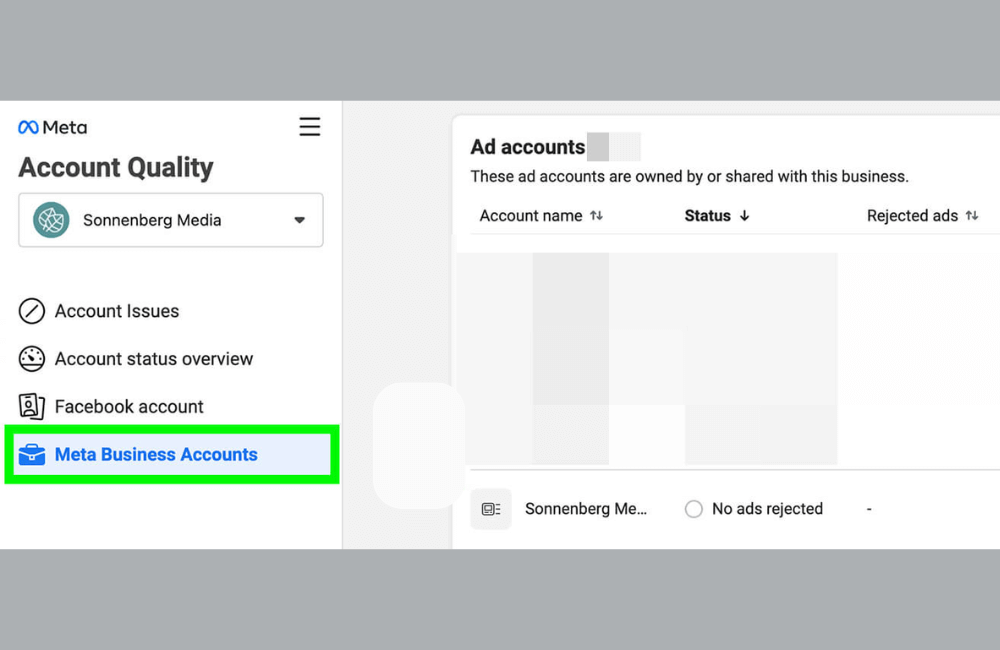
First, you need to access your Account Quality dashboard. This is also the section that professional Facebook ad managers like us monitor daily to keep track of account and BM health. Here:
- In the left menu, select the “Account Status Overview” section.
- Facebook will display a list of all accounts and assets experiencing issues.
- In the right column, look for the restricted advertising account, which is usually marked with a “Restricted” status.
When you click on the restricted account, a detailed information panel will appear, explaining the reason and current status. In most cases, you will see a blue “Request review” button. This is the starting point for the appeal process.
Identity confirmation before appealing
Before filling out the appeal content, Facebook may require you to confirm your identity. Typically, you will need to upload a government-issued identification, such as a driver’s license or passport. This is a standard security step, particularly common for Business Manager accounts that have not been fully verified. We recommend that you:
- Upload clear photos without cropped corners
- Ensure information on documents matches the Facebook profile name
- Do it correctly the first time to avoid prolonging the review period
After completing the verification, the system will redirect you to the official appeal form.
How to write persuasive appeal content
This is the most important part. Remember that the content you write will be read by a review officer processing hundreds of cases every day. Therefore, the message needs to be clear, concise, and professional. Content that should be included in the appeal form:
Polite greeting: Start with simple phrases like “Hello Meta team” or “Hello Facebook support team.”
Confirm restricted account: State clearly which account you are appealing for. The account ID is usually pre-filled, so you only need to reconfirm it.
Explain the issue calmly: Based on your self-check process, briefly describe the possible cause of the restriction. For example: ads accidentally violated content policies, payment method errors, or unusual account access.
Corrective actions taken: This is a very important point. Show Facebook that you have proactively resolved the issue, such as:
- Deleting or editing violating ads
- Updating payment methods
- Enabling two-factor authentication (2FA) for the account
- Reviewing all ad content and processes
Professional and goodwill closing: “I kindly request the Meta team to reconsider this case and support account restoration. Thank you for your time and consideration.”
Mistakes to avoid when writing an appeal
In the process of supporting advertisers, we have noticed many appeals being rejected due to unnecessary errors:
- Expressing anger or threats: Complaining, being irritable, or emphasizing how much money you have spent on advertising does not help and may even cause the case to be closed immediately.
- Vague or general content: Sentences like “Facebook system is broken, please reopen my account” do not provide any useful information.
- Dishonesty: If you have violated a policy, do not try to deny it. Responsible admission and a commitment to future compliance always bring better results.
What to do while waiting for Facebook to respond
After submitting an appeal, the most important thing is to be patient. The review period can last from 48 hours to several weeks, depending on the complexity of the case. During this time, you should note:
- Do not create new Facebook or Business Manager accounts to “bypass” the ban. This is a serious violation of the Circumventing Systems policy and can lead to a permanent ban of your entire account ecosystem.
- Monitor the processing status in the Support Inbox of the Account Quality page.
- If there is still no response after a few weeks and you have access to chat support, try contacting them through the Facebook Business Help Center. Otherwise, you must wait for the final decision from Meta.
Appealing correctly does not guarantee 100% success, but it will certainly significantly increase the chances of the account being reviewed if you do it professionally and follow the correct process.
Facebook does not display the appeal option. How to fix it
In some cases, when a Facebook account or ad account is restricted, you will not see the Appeal button displayed in the system. This is quite common, especially for accounts that are suddenly experiencing system errors. However, that does not mean you have no other way to contact Meta. Below are the methods that many advertisers have successfully applied to submit an appeal, even when Facebook does not provide an official form.
Contact via Grievance Officer
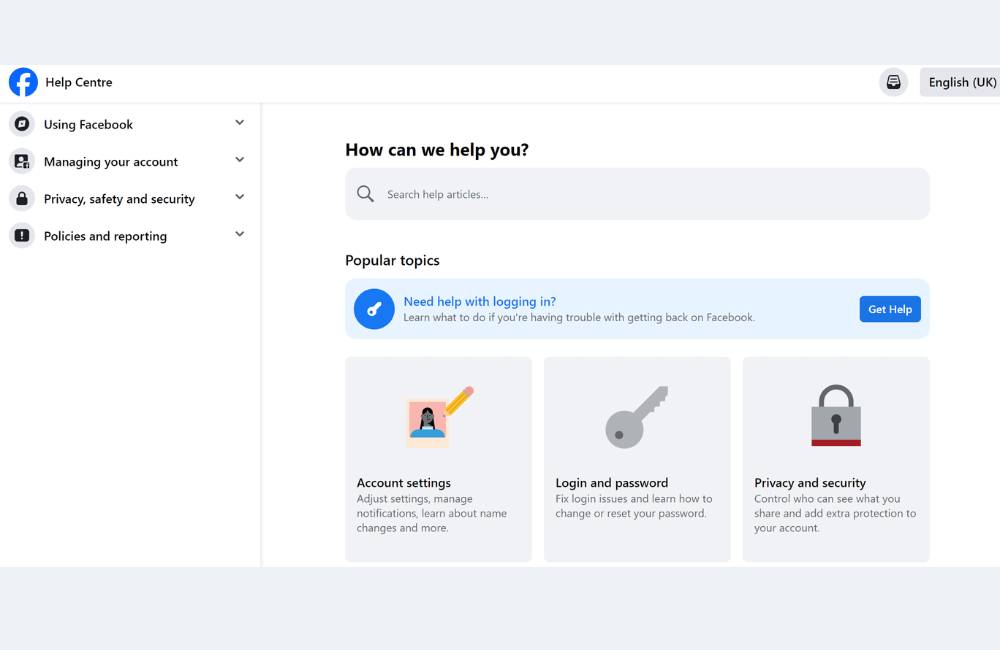
If you do not receive a response via email after a few days, the next step is to access the Facebook Help Center. You only need to search for the keyword grievance officer in the help center. Then, select the contact grievance officer section. Here, Facebook will provide the contact information for the department in charge of complaints, including:
- Direct contact email address
- Meta Platforms’ office information in case you want to send a formal written appeal
For example, for large businesses or agencies, sending a legal appeal email or letter that is clear and professional sometimes yields better results than automated forms.
Send an email directly to the Facebook appeals department
The first and simplest step we recommend you try is to check emails related to appeals from Facebook. If there are no specific instructional emails, you can still proactively send an email directly. The email address commonly used for appeal cases is: [email protected]
Các bạn có thể gửi email trình bày rõ tình trạng tài khoản, thời điểm bị hạn chế và mong muốn được Meta xem xét lại. Trong nhiều trường hợp, Facebook sẽ phản hồi trong khoảng 3 đến 4 ngày làm việc. Đây luôn là bước đầu tiên chúng tôi ưu tiên khi không thấy tùy chọn kháng cáo trong tài khoản.
Send direct feedback right in the Help Center
Another way that many advertisers often overlook but is quite effective, is sending feedback directly in the Facebook Help Center. At the end of each tutorial article, you will see the question: “Was this helpful?”. Select No, then Facebook will ask for the reason. Here, you select Other and enter the content describing the problem, for example:
- Meta ad Account is restricted, but with no clear reason
- Appeal option not displayed.
- Request for the Meta team to support a review
In most cases, you will receive a response from a support representative. Although they may say this is not the department directly in charge, they will often forward your request to the correct responsible team, helping your case be reviewed.
The fact that a Facebook account is restricted does not mean you have “run out of options.” If you know how to write an appeal clearly, focused on the main points, and show goodwill to comply with policies, you can significantly increase the chances of being reviewed and having access restored by Meta. The important thing is to always remain calm, honest, and proactive in working with the Facebook support system instead of sending emotional or repetitive appeals.
Frequently asked questions
You should wait at least 3 to 5 business days after each submission. Submitting too many appeals in a short period can cause your case to be negatively evaluated or ignored.
We recommend writing in simple, clear English. This makes it easier for Meta’s global team to process and usually results in a better response rate compared to Vietnamese.
💬 Contact now for free consultation from BHW!
- Website: https://vi.blackhatworld.io/
- Telegram: @bhw_agency
- Whatsapp: +84819001811
- Wechat: bhwagency
- Email: [email protected]
This article is also available in other languages:


