Top 7 Reasons Why Your Ad Account Disabled Facebook (And How to Prevent Them)
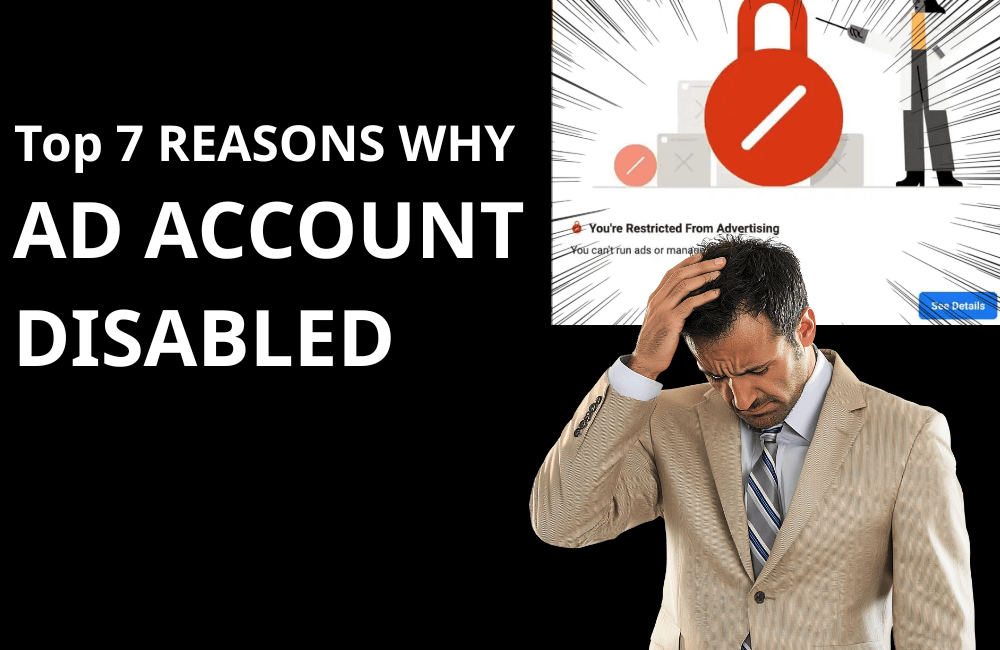
You wake up one morning, open your Facebook ad account as usual… and immediately receive a “massive blow”: the ad account is disabled, access to business manager disappears, or more seriously, your very own personal Facebook profile is restricted from advertising. If you have ever been in this situation or, worse, encountered it frequently, you are certainly not alone.
Meta’s automated system operates extremely strictly. It can ban accounts, flag payment methods, block access, or turn off entire campaigns completely randomly, even if you strictly comply with the policy. This leaves many advertisers feeling powerless and confused. In this article, BlackHatWorld will help you understand exactly why those restrictions occur and, more importantly, how you can prevent and recover your Facebook ad account before it’s too late.
Top 7 Reasons Why Your Ad Account Disabled Facebook (And How to Prevent Them)
When we work with you or advertisers in various industries, one of the most common issues is the ad account being disabled for no apparent reason. Understanding the underlying causes helps us to proactively prevent issues, reduce risk, and maintain campaigns more stably. Below are the 7 causes we most frequently encounter in practice.
Violation of Meta’s Ads policies
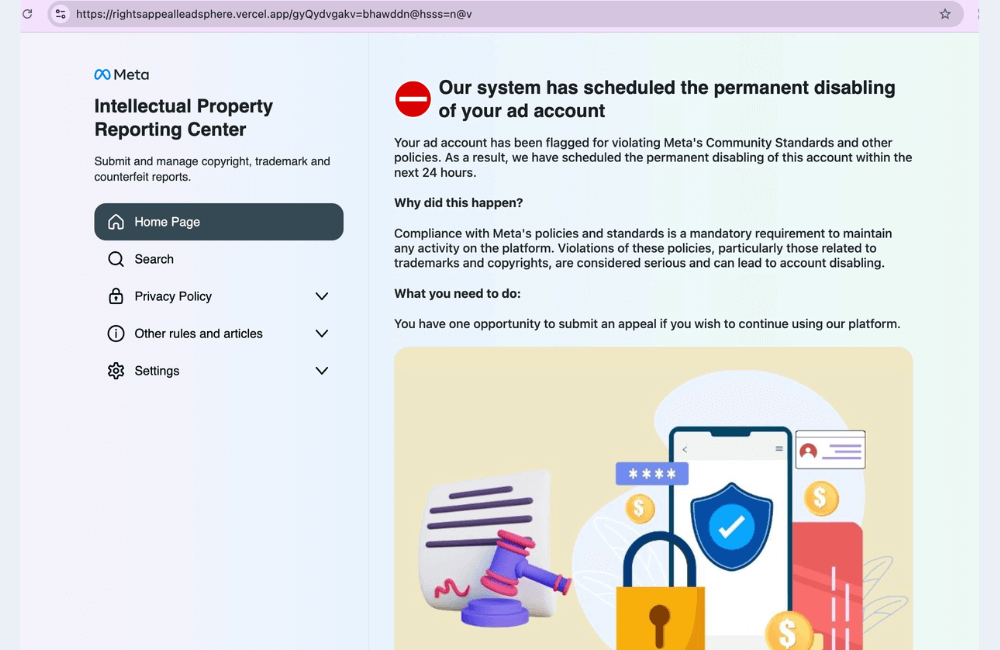
Even when we are very careful, there are cases where the AI flags things incorrectly. Meta’s moderation system is sometimes overly sensitive, especially with “sensitive” industries. Specifically:
- AI misinterprets the ad content as a violation (body images, over-promises, incorrect targeting…).
- Intentionally bypassing policies, for example:
- Creating a new fanpage after the old fanpage was restricted due to a low feedback score.
- Using negative content, causing confusion, or creating bad emotions for users.
- If you try to “trick” Meta, sooner or later, the account will be flagged and restricted.
Example: A cosmetic seller runs content saying “100% acne removal after 3 days” — just this sentence alone is enough to cause the ad to be continuously rejected and lead to an account ban.
Solutions:
- Avoid sensitive keywords or over-promises like “100% guarantee,” “cure illnesses,” and “instant results.” Example: For cosmetic ads, do not write “permanent acne treatment”; replace it with “supports skin condition improvement.
- Manually self-moderate the content before running. If you are unsure, ask us or simply send the text to ChatGPT to check the policies.
- When flagged, appeal immediately instead of ignoring it.
- Do not let many rejected ads accumulate in the account. The system looks at the overall violation history, not just one creative.
Logging into multiple accounts from the same IP
The act of accessing multiple ad accounts, multiple BMS, or multiple personal accounts from the same IP (or the same device) will be deemed suspicious by Meta.
Example: A team of 5 people all logging into 10 different ad accounts using the same Wi-Fi → the accounts are flagged immediately.
Solution:
- Use separate browsers or profiles for each account.
- Do not use random VPNs. We often recommend using specialized business VPNs, not free VPNs.
- If you are an agency, run using Partner access, which is less risky than sharing accounts via personal email.
New or low-trust accounts
New accounts without an activity history, stable payment records, or running ads infrequently will be assessed by Meta as high risk. How to fix it:
- When rejected, do not click “submit again” immediately. Edit the content and resubmit so the system understands you are compliant.
- Use a verified business manager to increase trust.
- Warm up new accounts with a few small campaigns before scaling.
- Minimize sensitive keywords, thoroughly moderate content, and appeal immediately when flagged.
- Do not let multiple rejected ads accumulate, especially during the initial running phase.
- Using an agency account
If you need a credible account that has been warmed up to pass Meta’s sweeps, you can contact BHW Agency for detailed consultation.
BHW Agency owns a system of premium Facebook agency ad accounts that are official Meta partners, nurtured in a specialized environment with clean IPs, high stability, and superior trust levels. Each account has been fully verified, has a regular spending history, and is free of any violations, which helps minimize risks such as checkpoints, ad restrictions, or being abnormally flagged.
Besides that, we also provide diverse BM agency packages (BM2500, BM5000, invoice) with high limits, which are very suitable for businesses that need to aggressively scale their budget, run multiple parallel campaigns, and minimize system limitations.
No advertising or login for more than 60 days
If your ad account is inactive for too long, the system may automatically suspend it. Facebook states that an account that has not run ads for > 60 days or has not logged in for an extended period is easily considered “insecure,” thus requiring re-examination.
Payment errors & billing issues
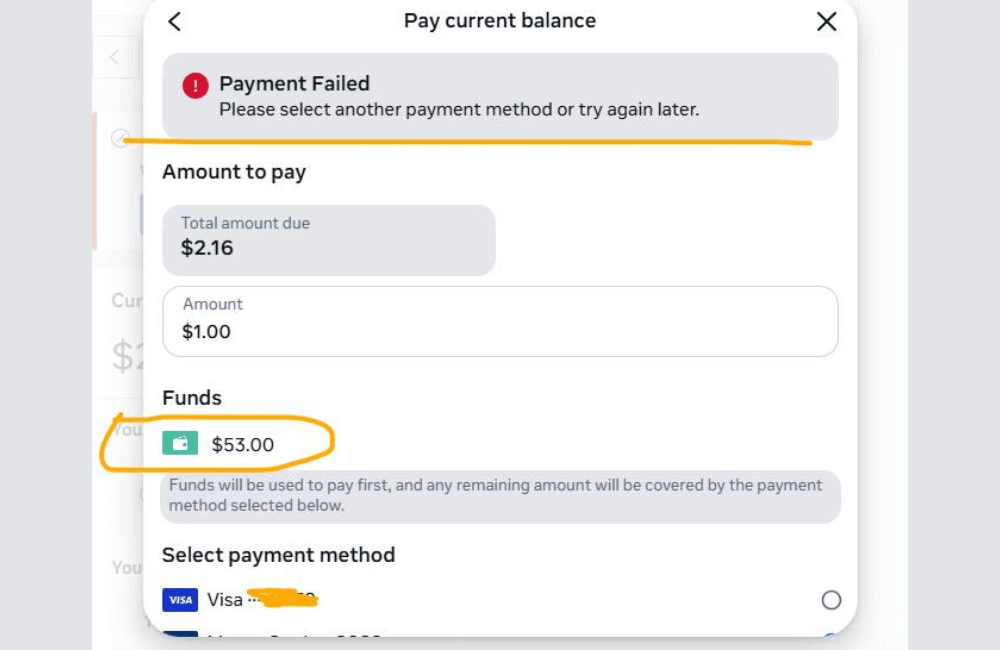
This is the most common reason why many accounts are disabled. Facebook is very strict with unusual payments, as this relates directly to fraud risk. Why does this happen?
- Meta flags failed payment transactions, rejected cards, or invalid payments.
- A sudden spending increase causes the system to suspect, especially with a new account.
- Using prepaid cards, unreliable virtual cards, or low-quality international bank cards.
- Too many consecutive rejected transactions will put the account into a “bad standing / high risk” state.
- Scaling the budget too fast when the account does not have a stable spending history.
Real-world example: Many new advertisers open an account, run 2–3 initial days at 200,000 VND per day, then suddenly increase to 10 million VND/day. We have witnessed countless accounts being immediately banned for this reason. How to fix it:
- Use Meta-friendly banks like Brex, Mercury, H Capital, Capital on Tap… The large advertisers we work with prioritize these banks because the “failed payment” rate is significantly lower than with common banks.
- Add a backup payment method. For example, if you use a virtual card as the primary method, add a real bank card as backup.
- Absolutely avoid failed payments. When you see the budget is about to hit the limit, top up in time.
- Do not scale too fast. “Warm up” the account slowly, for example, from 20–50 USD/day and then gradually increase. Meta highly dislikes accounts that scale abruptly from 50 USD to 500 USD/day.
Low Feedback Score
The feedback score of a fanpage is an extremely important factor that many users overlook. Once the score is low, the probability of being restricted from advertising increases significantly. The reasons include:
- Users hide ads, report spam, or leave negative experience reviews.
- The ad does not match the landing page, for example: the ad offers a 70% discount, but the website only offers 20%, causing customers to immediately leave.
- Slow delivery, product not as advertised, poor customer service.
How to improve:
- Check the feedback score regularly (you can ask ChatGPT how to view the details).
- Clean up negative comments, respond to customers quickly, and prevent them from reporting the page.
- Ensure the advertising message matches the landing page. If you say “free shipping,” the landing page must accurately reflect that.
- Avoid using clickbait. Meta will lower the quality score and even reduce reach, no matter how much you pay.
Too many rejected Ads & Business Manager restricted.
Even if you ignore rejected ads, they still affect the “health” of the account.
- Many rejected ads make the system suspect that you frequently violate policies.
- If the BM is restricted, all accounts and fanpages inside are also affected.
Solution:
- Clean up all rejected ads in the BM: Archive all rejected ads so the system does not continue to view them as a risk.
- Turn off all campaigns suspected of violations: “Risk” campaigns can lead to BM restrictions.
- Appeal the Business Manager restriction correctly: Present clearly, concisely, and politely – avoid being verbose.
- Create a new BM (if necessary), but it must run cleanly in the initial phase: Do not scale quickly, do not use sensitive content, do not use a card that previously caused errors.
- Should have an actively running fanpage, consistent content, and natural engagement.
Resolving the disabled account status that causes frustration for advertisers.
When an ad account is disabled, many advertisers we have supported often fall into a state of confusion: “Where do I even start?” Below is how to effectively handle a restricted Facebook Ads account.
Manually contacting Meta Support
If there is no request review button, you and I can directly contact Meta Support via the following link: business.facebook.com/business-support-home
After entering the page, scroll to the bottom, and you will see the section: “Still need help? Contact support…”. Click on Contact Support.
At this point, Meta will display the reason they detected on your account — such as “ad account disabled due to policy violation”. You can select the issue suggested by Meta or choose Something else if the reason is not suitable.
Next, select the asset that needs support → choose the correct disabled ad account. Meta will ask you to select the reply method via email or messenger. We usually choose email as it is easier to track and save the content as evidence.
Click the “Request Review” button
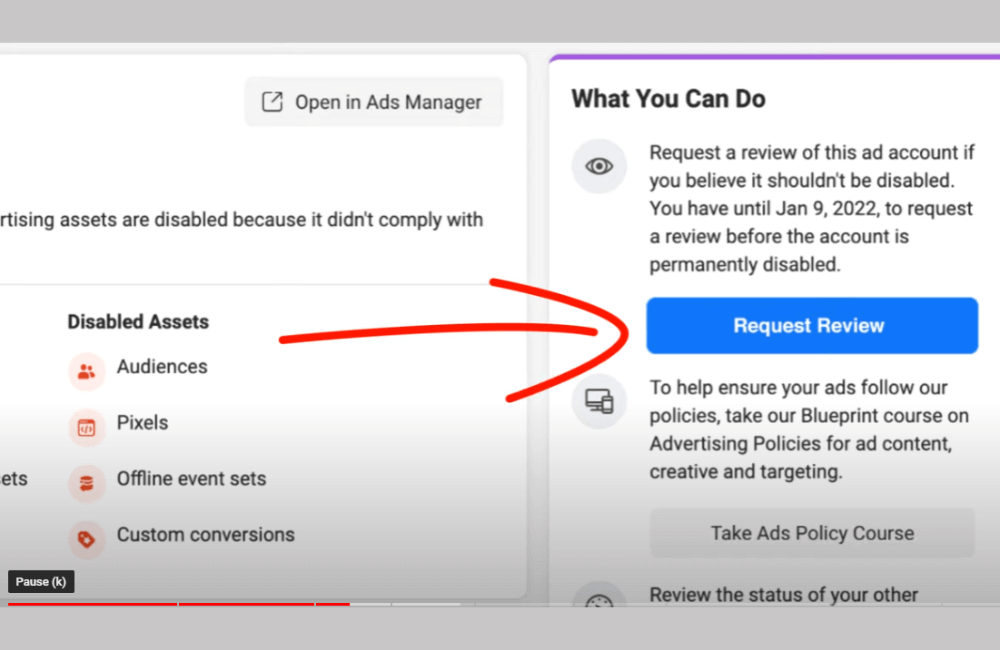
When you access the Ads Manager, sometimes Meta will immediately display the Request Review button. If you see this button, click it right away, as it is the simplest way to initiate a review by Meta.
At this step, your account will be reviewed by real people at Meta instead of just an automatic AI system. Many advertisers we have assisted were unbanned within just a few hours solely through this action.
Sending a standard email template to Meta (high success rate)
Here is the email template we frequently use and have successfully reactivated many accounts for advertisers: “Hey Facebook team, I understand that my Facebook ad account is currently blocked from carrying out advertising activities. I acknowledge my mistake and will adjust my advertising practices to comply with Facebook’s advertising policies moving forward. I apologize for any past violations, take full responsibility, and I’m committed to adhering to all guidelines to ensure a positive user experience on the platform.
Thank you for your time and attention to this request. I would greatly appreciate a review and consideration of my account status.”
However, before you use the exact text above, please answer the critical question:
What was the reason for your ban?
- Case 1: You genuinely violated the policy.
Example: running a black-hat vertical, using a violating landing page, and prohibited content.
→ Use the exact email template above, with a tone expressing acknowledgment and a commitment to compliance. - Case 2: You are certain you did not violate the policy
Example: you are running a white-hat vertical, not retargeting the wrong audience, not using unauthorized images… but are still banned due to an AI error.
→ Edit the email, clearly explain this is a mistake, and attach evidence.
Important tip: You can screen-record a video to prove that you did not run violating content. If you genuinely violated the policy → do not attach any evidence.
Before sending the email, copy the Ad Account ID of the banned account (located in the account information section). Paste that ID into the email so the Meta team can identify the correct account for review.
Then, click Send Email. Typically, Meta will respond within 1–2 days, but depending on the severity of the violation, they do not always reinstate the account.
Disabled ad accounts not only cause business disruption but also lead to the loss of many customer reach opportunities. However, when we clearly understand the common causes and build a policy compliance habit, maintaining a clean, stable, and sustainable account becomes much easier. Be proactive in reviewing, optimizing, and updating frequently to ensure all your campaigns are always safe in Meta’s view.
Frequently asked questions
Yes. You can request Meta to review the decision using the Request Review button or by directly contacting the support team. If there is no genuine violation, the account will usually be restored.
Use stable payment information, restrict too many edits in a short time, avoid suddenly launching numerous campaigns, and ensure all content complies with Facebook’s advertising policies.
💬 Contact now for free consultation from BHW!
- Website: https://vi.blackhatworld.io/
- Telegram: @bhw_agency
- Whatsapp: +84819001811
- Wechat: bhwagency
- Email: [email protected]
This article is also available in other languages:


