The Facebook Ads Library Master Guide: Finding Your Competitor’s Winning Ads

If you want to find winning ads on Facebook and Instagram, the Ad Library is one of the essential ad spy tools on Facebook. This tool enables you to view all active ads from major brands, businesses with revenues of $ 8–9 million, and even the world’s leading names. You can also search by product name to see all competitors in your field and the campaigns they are running. In this article, BlackHatWorld will guide you through the detailed process of fully utilizing the Facebook Ad Library tool to find effective ad ideas. Let’s explore!
Why did Facebook launch the Ad Library feature to support advertisers?
Before diving into how to use it, we want you to clearly understand why Meta decided to create a massive data repository, such as the Ad Library. By grasping the “root cause,” we can utilize this tool many times more effectively in the process of competitor research and ad idea generation.
What is the Ad Library?
In essence, the Ad Library functions as an “open repository,” aggregating all currently running ads across Meta’s entire ecosystem, including Facebook, Messenger, Instagram, and the Audience Network. Although there is no separate version for Instagram, every active ad on Instagram appears in the Ad Library, and you can view them with just a few steps.
However, an important point that many new advertisers do not know is that the Ad Library was not created solely to help us with research. Initially, following the Cambridge Analytica scandal in 2016, Meta was compelled to increase ad transparency. Therefore, this tool was launched to help global users clearly see who is running ads, what the ad content is, and how the ads are being distributed.
Although born from a rather sensitive context, the Ad Library has now become an extremely useful tool for us and all of you. Thanks to it, we can view, analyze, and learn from major brands without having to spend thousands of dollars on trial and error.
Does the Facebook Ad Library truly benefit advertisers?
When accessing the Facebook Ad Library, you will see thousands of ads displayed and can filter by country, ad category, or advertiser name. For example, if you are running in the cosmetics industry, just type “skincare” and an entire “universe” of ideas from competitors will appear right before your eyes. Or when you want to see how major brands spend millions of dollars to optimize creative, you just search by brand name like Sephora, Adidas, or Shopee.
Once you have selected the ad you need to research, we can view all the information, such as the image, video, copywriting content, start date, list of distribution platforms, and even the ad ID. This is a completely public, free, and valuable data source, helping advertisers shorten idea research time and increase the success rate of their campaigns.
Now that we have clearly understood the reason for the existence and core benefits of the Meta Ad Library, it is time to delve deeper into how this tool operates. In the next section, we will join you in exploring how to read data, how to filter ads, and how to analyze creatives to upgrade your entire Facebook Ads strategy.
The Facebook Ads Library Master Guide: Finding Your Competitor’s Winning Ads
In an era where every campaign is a “creative race,” monitoring competitors not only helps you shorten the testing curve but also opens up new perspectives on how major brands are operating. For us, the Facebook Ad Library is a high-quality “ad template repository” for all advertisers, from beginners to teams running multi-million dollar budgets. Below is a detailed guide for you to master this tool systematically and effectively.
Step 1: Access and initial setup on the Ad Library
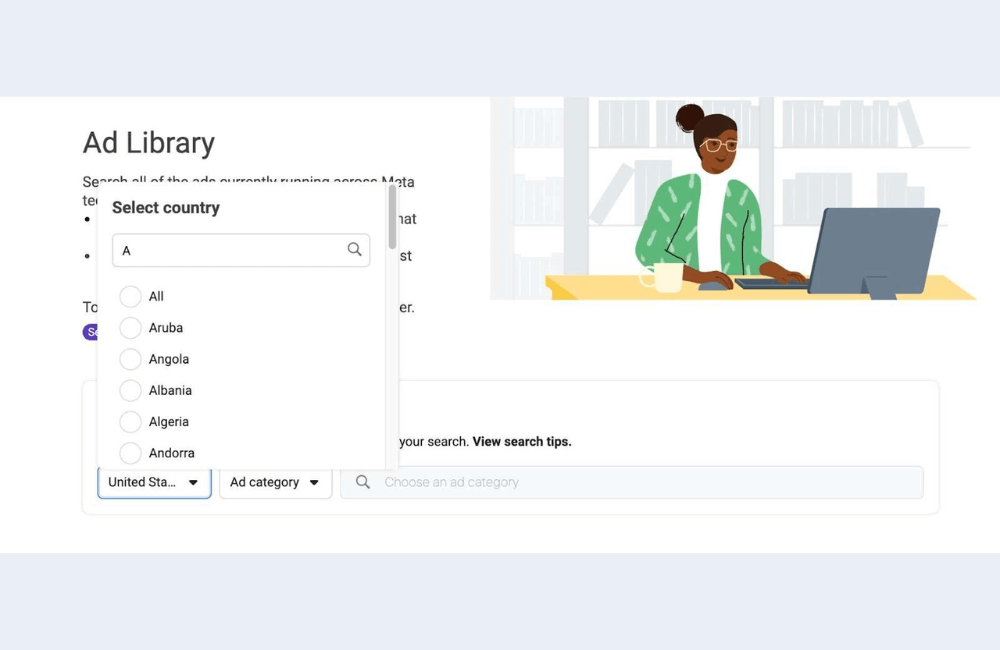
We access the Facebook Ad Library page at facebook.com/ads/library. This is where you can search for any ad currently running on Facebook and Instagram. Upon entering the main interface, perform two important steps to open up all the data:
- Change the Location to “All”: This allows you to view ads in all countries instead of being limited only to Vietnam or a specific region.
- Change the Category to “All Ads.” After selecting this option, we will see all ad formats, including video, photo, carousel, offers, and more.
Step 2: Search for Brands and analyze
In the next step, we will start searching for a brand that you want to analyze. For example, we chose BlendJet, a very famous brand known for its high-quality short video campaigns.
When typing the name, Facebook will suggest popular pages. You just need to select the first page to access the full list of running ads. Immediately, we will see important information such as:
- BlendJet is running 93 ad creatives
- You can scroll to view all of them
- You can press Play to watch the video
Note: When checking competitor ads on Facebook, do not overlook the seemingly simple copy. This is very important when we want to find the “strategy hidden behind each ad,” including:
- How many videos are they testing
- The offers or marketing messages they are focusing on
- The frequency and number of ads running concurrently
- How they layer the versions (A/B testing)
A small tip is that you can click directly on the CTA to see their landing page. This is one of the quickest ways to learn how to write a quality landing page and optimize conversions.
Storing and managing ads with Foreplay
Besides the Ad Library, we also use another completely free but extremely powerful resource called Foreplay. This is a tool to save ads as a “swipe file” for later research. Even within our own unit, the team still uses Foreplay daily to build creative ideas.
When browsing in the Ad library, you will see the “Add to Foreplay” button. Just select the board, for example, “Video Ads,” and press Save to finish.
Afterward, when accessing Foreplay.com, you will see all the saved ads along with very useful metrics, including:
- How long has the ad been running
- Which market does it belong to
- Which platform is it running on
- What the CTA is
- Landing page link
- Can leave internal comments within the team
The best thing is that ads saved in Foreplay will exist permanently and will not be lost like Ad Library links, which can “disappear” at any time when the brand turns off the ad.
Pro Tip: Find Whitelisted Ads hidden from brand pages on Ad Library
Many major brands run ads using whitelisting, meaning they use another creator’s page to run the ads to hide campaigns that do not appear in the Facebook Ad Library. This is why many of you see that the number of ads in the Ad library is not very high, even though that brand runs extremely aggressively in reality. To see all these whitelisted ads, you should use the tip:
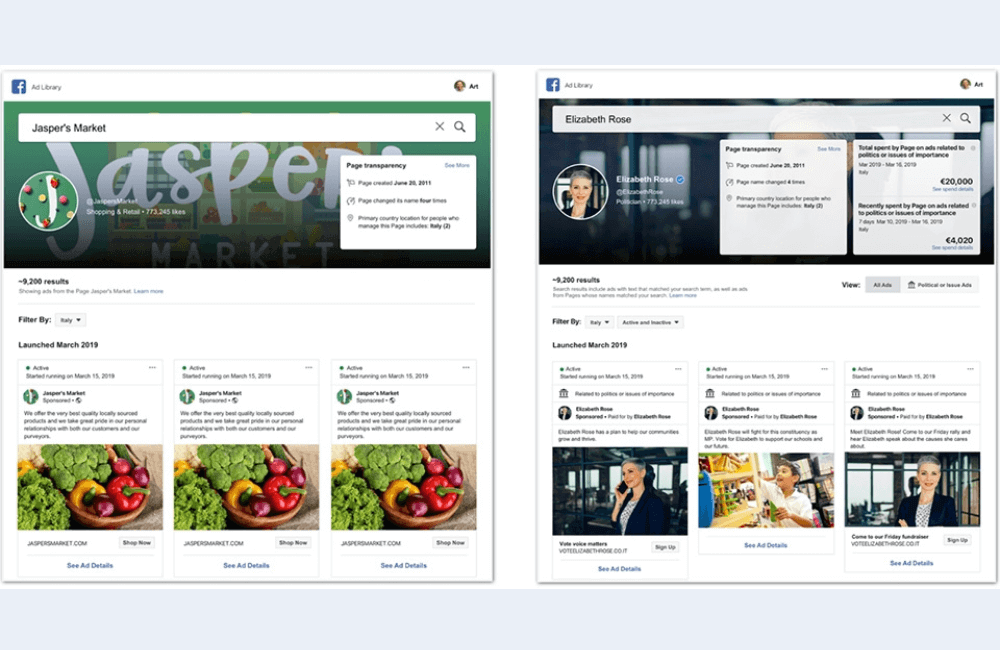
Search by exact phrase instead of the fanpage name. For example, type “BlendJet” in the search bar, but set the search mode to phrase. Immediately, you will see:
- Ads from creators running for BlendJet
- Publishers that are executing distribution
- Their entire influencer ads strategy structure
When finding a good ad, the method is the same as above: save it to Foreplay for long-term analysis.
The Facebook Ad lLibrary is not just a place to “view ads” but a strategy laboratory for every advertiser. When you know how to exploit it correctly, you can see the entire market landscape, analyze competitors, learn from major brands, and draw out models that can be immediately applied to your campaign. Treat this as a mandatory tool in the research process, because every insight you find today can help save millions of dong in tomorrow’s testing.
Frequently asked questions
Not entirely. Some brands use whitelist ads or run ads using a creator page, so the ads will not appear directly in that page’s list. However, you can search by “exact phrase” to discover all related ads.
Facebook does not support direct download, but you can save them using management tools like Foreplay or record the link for later research. This is also how many professional creative teams build their own idea libraries.
💬 Contact now for free consultation from BHW!
- Website: https://vi.blackhatworld.io/
- Telegram: @bhw_agency
- Whatsapp: +84819001811
- Wechat: bhwagency
- Email: [email protected]
This article is also available in other languages:


