Facebook Ads Management to Optimize CPA and ROAS
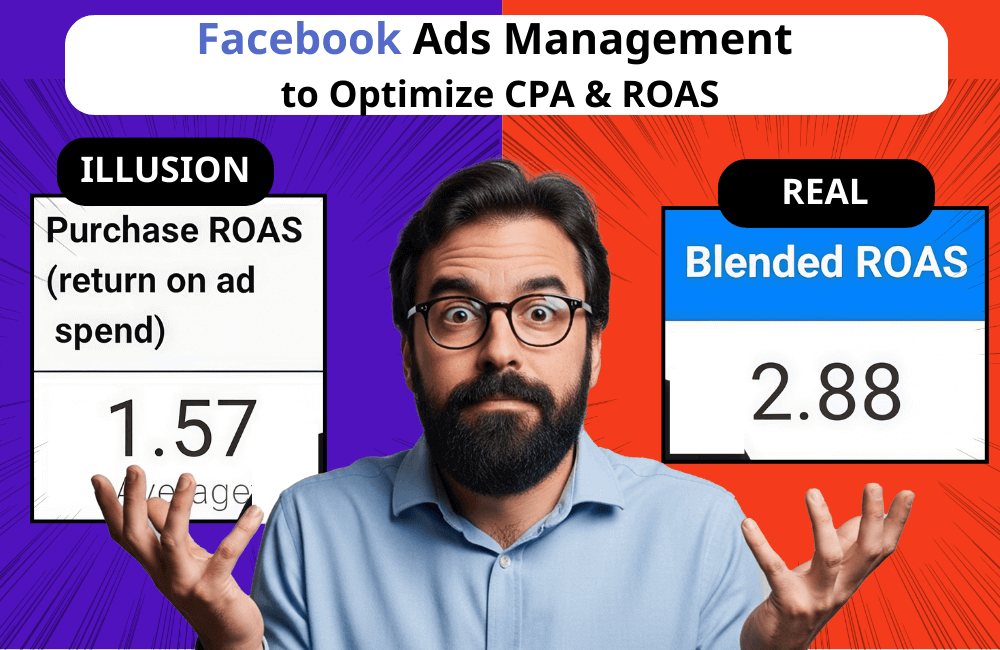
Have you ever been in a situation where the ROAS and CPA in Ads Manager look brilliant, but when you open the accounting books or the P&L report, the numbers expose a completely different reality? In this article, BlackHatWorld will delve into the reasons for that discrepancy with you. We will also point out your mistakes in improperly managing Facebook ads that can silently swallow a part of the budget, a part that generates absolutely no additional sales. As soon as you stop spending on that useless budget group, the CPA will gently step down, and the overall ROAS will clearly jump up for the business. Let’s follow along!
Why are CPA & ROAS on Facebook Ads Manager higher than reality?
When working with many businesses, we recognize a common point: many advertisers optimize based entirely on what they see in Ad Manager. The ROAS looks sky-high, and the CPA is smoothly low. But when cross-referenced with financial reports, the actual revenue, in reality, is not so beautiful.
Major issue: Optimization in the ads manager does not equal optimization for the business
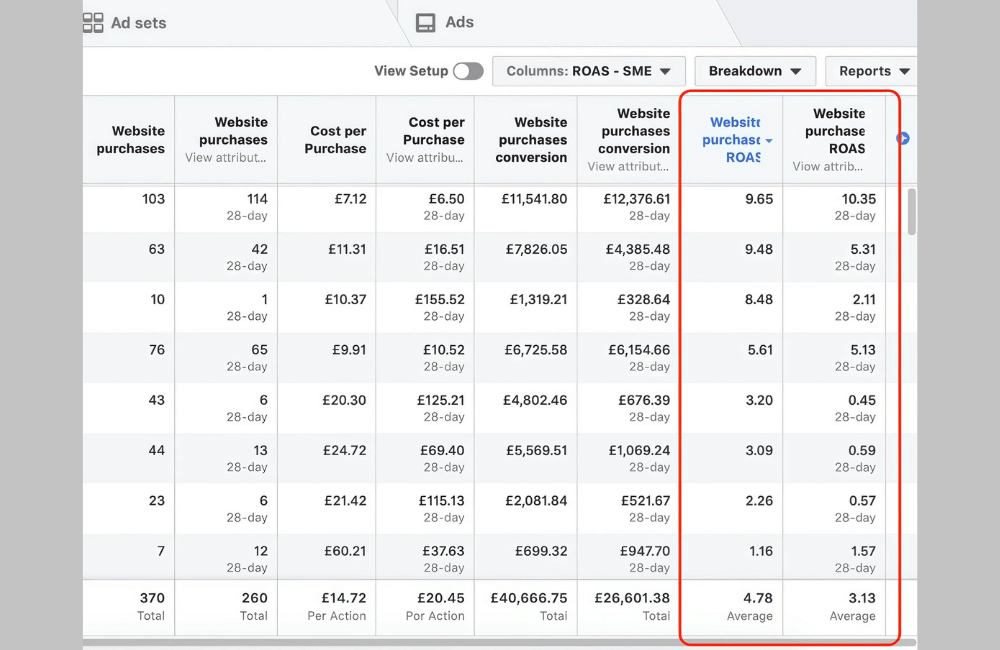
Many advertisers among us often set goals in the ad manager revolving around two familiar metrics:
- The higher the ROAS, the better
- The lower the CPA, the sweeter the result
However, these two metrics, no matter how impressive they appear, do not automatically translate into the highest profit or the most substantial “real money” flowing into the business’s bank account.
During the ad account audit process for clients, we repeatedly see the following situation: The ROAS in Ads Manager is excellent, but the actual profit decreases. The reason is that agencies or in–house teams only optimize according to the data provided by Facebook without checking the business’s overall performance. Therefore, to capture these unnecessary discrepancies, you need to hire a skilled Facebook Ad Manager.
Facebook is designed to keep you spending. That means the platform always tries to “take credit” as much as possible. But a platform claiming it generates revenue does not mean it is true. If you are experiencing issues with difficult account approval and campaign optimization, contact BlackHatWorld immediately.
BlackHatWorld is a reputable entity in the field of leasing Facebook ad accounts for all verticals, from WH, GH, to BH. With a team of experienced specialists, we have launched hundreds of campaigns in the dating industry and delivered impressive results regarding both conversion rates and revenue.
Clients are provided with an agency account belonging to Meta’s high-level partner system, ensuring a superior trust level and stable operation capability. The accounts are 100% clean, no debt, no violations, with strong ad delivery and consistent spending, helping businesses run ads more effectively. Concurrently, using an agency account helps minimize risks such as checkpoints, disabling, or unusual flagging – common issues when using self-created accounts.
Why are there discrepancies in metrics between the Ad Manager and corporate Financial Reports?
Imagine you are running three channels simultaneously: email, Google ads, and Facebook ads. In the middle is the actual total revenue the business receives, which is the figure appearing in the bank account. But if you sum all the revenue reported by each platform, you will see a funny thing: the total reported revenue is higher than the actual revenue. This happens because multiple channels “claim duplicate credit.”
Specific example: A customer sees your Facebook ad, but does not purchase yet. They then go to Google, type the brand name, click on the search ad, and complete the transaction. Since Facebook and Google do not share data:
- Facebook records: “This order is mine.”
- Google also records: “This order is mine.”
Result: The revenue report is inflated, and the advertiser is confused about what the truth is. This makes it difficult for us to answer important questions:
- Which channel should the budget be allocated to?
- Which channel brings real value?
- Which channel is merely “free-riding” on the efforts of other channels?
Blended ROAS (MER) is the key to solving difficulties.
Instead of only looking at ROAS within each platform, we always recommend that you and businesses focus on the MER (Marketing Efficiency Ratio), also known as blended ROAS. The formula is very simple:
MER = Total actual revenue / Total ad spend across all channels
This is the metric that truly reflects the actual performance of the entire business. MER tells you how many dong of pure revenue 1 dong spent on marketing generates, not the “phantom revenue” that Facebook or Google self-report.
In reality, we cannot know with 100% accuracy which channel generates conversions. But we can get closer to the level of optimal budget allocation by tracking MER instead of letting each platform “tell its own story.”
Facebook Ads Management to Optimize CPA and ROAS
When it comes to ad optimization, many advertisers often focus on the surface: editing the creative, changing the target, increasing the budget… But if you only look at the data in Ads Manager without understanding the true impact of the ad. Therefore, in this section, we want to share with you a solution for your daily Facebook ad management checklist, which is optimization based on Incrementality, a method that helps us know exactly whether the ad is bringing in new customers or merely a “vanity metric.”
Incrementality is the way to measure whether customers would have purchased even if they hadn’t seen the ad. It sounds simple, but this is the factor that differentiates ads that generate truly new customers from vanity metric ads. If you want to optimize costs and increase overall ROAS, the biggest goals are:
- Spend the budget on ads that generate new customers
- Reduce the budget for ad groups that only take credit without bringing in additional revenue
This is also the foundation for pushing the MER (Marketing Efficiency Ratio) to the most optimal level. Below are 3 steps to optimize your ad account based on Incrementality to improve CPA and ROAS for ad campaigns:
Step 1: Set up Audience Segments to distinguish between new & old customers
First, advertisers need to clearly see: at what level ad spend is bringing in new customers. Go to Ads Manager → Breakdown → Demographics → Audience Segments, and you will see:
- How many orders came from new customers
- How many orders came from existing customers or the previously engaged audience
Insights from an account we recently audited:
- The campaign that spent the most budget had a very low ROAS for the new customer group.
- The newly set-up campaign with a small budget had an exceptionally high new customer ROAS.
We immediately shifted the budget to the campaign with high efficiency for new customers and sharply reduced the budget for the “credit-stealing” campaign.
The most accurate way to set up Audience Segments:
- Engage audience: Add to cart 180 days, view content, view website
- Existing customers: upload the customer list or use the purchase event 180 days ago
At this point, you will have a much more truthful picture of the impact of each campaign.
Step 2: Set attribution for retargeting to 1-day or 7-day click
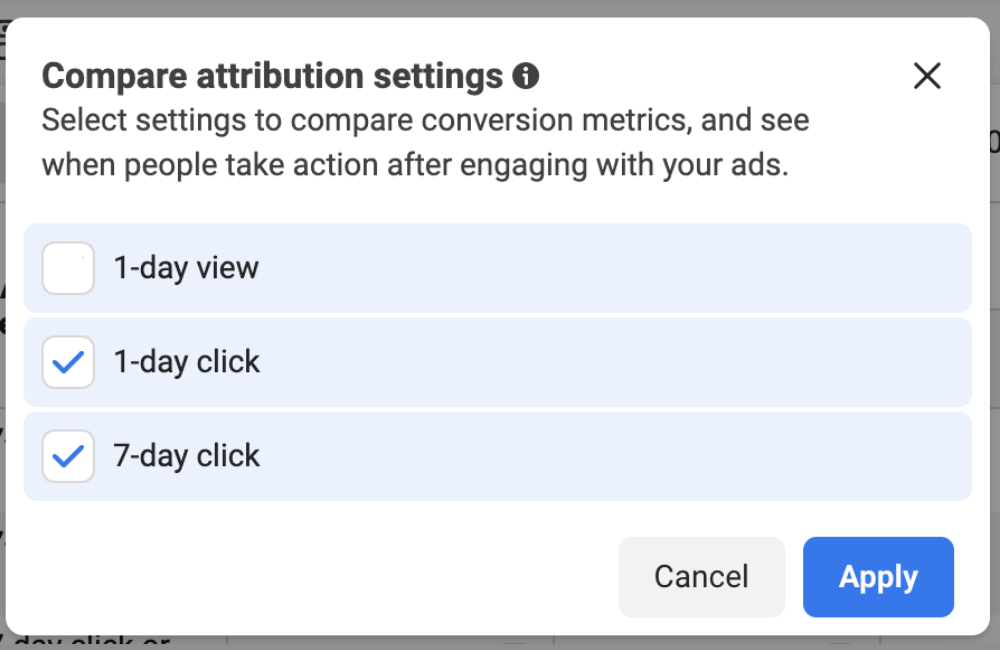
A mistake that many advertisers encounter (and one we also made) is setting the attribution to include a “view.” When set to “view,” retargeting ads will:
- Record revenue for orders that customers would have returned to purchase anyway
- Make the retargeting group’s ROAS look better than reality
- Make you think retargeting is “extremely effective,” but it actually creates no new value
Therefore, for accurate measurement, use 1-day click or 7-day click for retargeting. Especially during short-term sale seasons, such as Black Friday, 11/11, and brand birthdays, you will need the most precise attribution possible to avoid performance illusions.
Step 3: Consider excluding existing customers from the Prospecting campaign
This is a powerful strategy, but not everyone should apply it. You should exclude existing customers when:
- Your brand has multiple other sources for finding new customers, such as influencers, Google search, and YouTube ads.
- Meta only serves as a supplementary role, not the main channel
You should NOT exclude past customers when:
- Meta is the primary source for finding new customers
- You are running audience expansion campaigns or are heavily reliant on on-Meta behavior
In this case, excluding existing customers can cause the system to lose critical data and reduce performance.
Optimizing CPA and ROAS does not just lie in adjusting the budget or changing the ad content, but in how we correctly understand the true value that each campaign brings. By applying the incrementality mindset, clearly separating new & existing customers, setting up standard attribution, and smart budget allocation, you will see real revenue growth instead of “vanity” metrics in Ads Manager. Be persistent in analyzing, testing, and continuously optimizing your ad account to ensure it operates more efficiently.
Frequently asked questions
However, we recommend advertisers apply incrementality if they want to measure the true value of advertising, especially for businesses spending a large budget or having multiple traffic sources.
You should use short click attribution when running strong promotional programs, flash sale campaigns, or special occasions like Black Friday. This helps to more accurately measure orders truly driven by the ads rather than orders that customers already intended to make.
💬 Contact now for free consultation from BHW!
- Website: https://vi.blackhatworld.io/
- Telegram: @bhw_agency
- Whatsapp: +84819001811
- Wechat: bhwagency
- Email: [email protected]
This article is also available in other languages:


