How to create Facebook page for affiliate marketing: 2026 Success Guide
Many people believe that Facebook is “outdated” or no longer the dominant social media platform as it was before. However, looking deeper, we believe that Facebook still maintains its position as one of the largest and most used platforms today.
Although the growth rate of new users is no longer exploding, the existing user base on Facebook remains massive and high-quality. Therefore, affiliate marketing on Facebook still works very effectively and can completely bring in stable, long-term commission sources for those who implement it correctly. In this article, BlackHatWorld will explore with you how to create ad strategies to help grow an effective Facebook fanpage and sustainable affiliate marketing in 2026.
Does developing an affiliate fanpage on Facebook still generate conversions?
Many advertisers think that doing affiliate marketing on Facebook today has become less effective. However, reality shows that affiliate fanpages still generate excellent conversions, as long as we build them in the right direction and follow the way Facebook prioritizes content distribution. The problem does not lie with the platform, but rather in how you operate the fan page and the content strategy you are applying.
Prioritize value-driven content instead of direct selling
One of the most important tips that we always apply when developing an affiliate Fanpage is focusing on content that brings value to viewers. Instead of posting sales content continuously, you need to build the Fanpage as a genuine channel for sharing knowledge or entertainment. An effective content ratio used by many advertisers is:
- About 80% educational content, sharing experiences, knowledge, or practical perspectives
- Only 20% content is used to introduce products or suggest solutions with affiliate links attached
For example, if you do affiliate marketing in the finance niche, instead of posting loan links or credit cards every day, you can share money management knowledge, tips to improve credit scores, or financial mistakes that beginners often make. When readers find the content useful, they will proactively follow the Fanpage and trust future recommendations.
Why do Fanpages up too many ads have no engagement?
We have seen many affiliate Fanpages fail after only a few weeks for a straightforward reason: content full of ads. When a Fanpage posts too many sales articles, you will face three major problems simultaneously.
- First, there is almost no engagement because users are not interested in continuous promotional content.
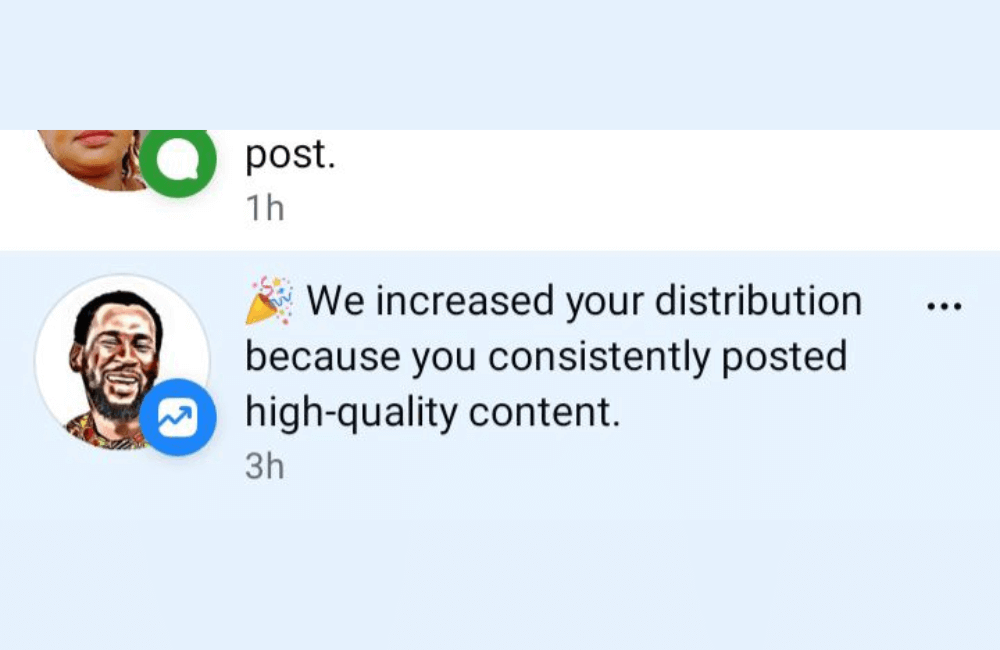
- Second, Facebook will restrict post distribution because the algorithm prioritizes content that retains users, not direct sales content.
- Third, users will have no reason to click follow on a Fanpage that only contains product links.
On social networks, the content that usually achieves the most views and shares is often educational, sharing truths, practical experiences, or entertaining content. Therefore, if you want the Fanpage to develop sustainably, you must revolve around these types of content.
Facebook strictly controls content containing affiliate links
One point that affiliate advertisers need to pay special attention to is that Facebook does not prioritize content with affiliate links attached. The reason is very clear: when users click on a link, they leave Facebook for another website, which is something the platform does not want.
Therefore, when a post contains an affiliate link, its organic reach will be significantly lower. If the system detects that your Fanpage is primarily used for affiliate promotion, the Fanpage is very likely to be flagged for spam and even permanently disabled.
This is also why we always recommend that you not use personal Facebook accounts for affiliate marketing. In the worst-case scenario, if evaluated as a serious violation, the personal account could be permanently locked, significantly affecting your entire business ecosystem.
How to create Facebook page for affiliate marketing: 2026 Success Guide
Before starting affiliate marketing on Facebook, the most important thing we always emphasize to advertisers is that you need a Fanpage built in the right direction from the start. A Fanpage is not just a place to post content, but also the “face” of the brand that helps build trust, attract followers, and convert them into affiliate customers.
Access the menu and start creating a Facebook Fanpage
From the main interface of Facebook, we go to the Menu section. Here, Facebook will display options such as creating a Fanpage or creating a Group. In the affiliate marketing model, a
Fanpage is always the more suitable choice, so we select the Page section to start creating a new page.
Enter basic information for the Fanpage
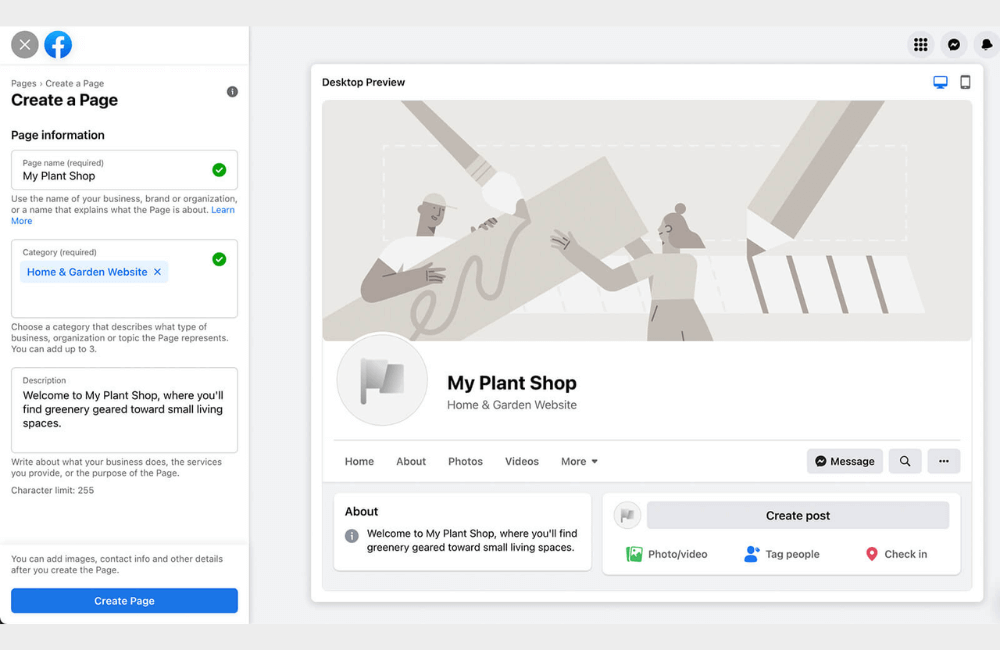
After selecting to create a Fanpage, Facebook will ask you to fill in basic information. This is a very important step, as it determines whether your Fanpage fits the right affiliate niche.
- The first part is the Fanpage name. For example, we name it “Your Financial Advisor” to clearly represent the financial consulting topic. If you are doing affiliate marketing for another industry, you can change the Facebook fanpage name accordingly.
- Next is the Fanpage category. In this case, we choose Financial Planner because it fits personal finance and long-term investment content.
- The description section. Here, you should write clearly what this Fanpage is about, the value you bring to your followers, and what your goals are. For example, we describe the Fanpage as focusing on sharing knowledge about financial management, savings, and safe investments for the future.
After completing, you just need to click Create Page for Facebook to create your new Fanpage.
Perfecting images and content positioning for Fanpage
Once the Fanpage is created, the next step is to perfect the visual elements. We recommend that you upload a cover photo and profile picture right from the start to make the Fanpage look more professional and trustworthy. Most importantly, the Facebook page you create must be directly related to the affiliate product you will promote. For example, if you are doing affiliate marketing for skincare products, build your Facebook page around the skincare topic. In this example, we assume we are promoting financial consulting services, so all images and content revolve around the field of personal finance.
Identifying the right potential followers
With a financial consulting Fanpage, we will direct content toward people interested in money management, saving, investing, and financial planning for the future. This is the audience segment most likely to become affiliate customers. At this stage, you can also add a call-to-action button for the audience to contact you directly, such as a Message or Contact button, helping to increase engagement and conversion potential.
Starting to build a community of followers
After the Fanpage is ready, we recommend that you post your first entry to introduce the Fanpage. Share the reason you created this page, the goals you pursue, and the practical values that followers will receive when staying on your Fanpage. You can also invite or message friends to introduce the Fanpage, but only do this when you are sure they are interested in that topic. Do not waste time and resources on people who are not target customers, as affiliate marketing always prioritizes quality over quantity.
Tips to avoid Facebook restricting affiliate link visibility for Fanpage posts
You need to log in to Facebook and access the Fanpage you are managing. If you do not have a Fanpage yet, you can create a new one in just a few minutes. If you already have one, go to the Pages section to select the specific Fanpage you want to use for affiliate marketing.
We recommend using the Professional Dashboard or Meta Business Suite to manage content, as this interface helps track post performance and control Fanpages better. After accessing the correct Fanpage, you simply select create a new post as usual.
Clearly define your Fanpage niche before attaching affiliate links
Before posting any affiliate link, the most important thing is to clearly define which content group your Fanpage serves. Facebook highly values consistency. For example:
- Technology Fanpages should only share electronic products, accessories, and software
- Fashion Fanpages should focus on clothing, footwear, and accessories
- Beauty Fanpages should prioritize cosmetics and skincare
In a practical example, we use a fashion Fanpage named Smith’s Clothing. For this Fanpage, all selected affiliate products are directly related to clothing and men’s style.
Choose an affiliate platform that fits your Fanpage content
After identifying your niche, you only need to choose a suitable affiliate platform. Currently, there are many options:
- Amazon Associates for physical products
- Temu Affiliate for consumer goods
- Digistore24 for digital products
- Fiverr for services
- Gumroad, if you sell your own digital products
For example, with Amazon Associates, after joining the program, we can get an affiliate link for any product on Amazon and receive a commission when an order occurs. For a fashion Fanpage, we search for products like shirts, t-shirts, or jackets. After selecting the appropriate product, just save the product image to your device and copy the product title.
Create post images to help Facebook prioritize distribution
Images are an extremely important factor if you want your affiliate posts to display well. We do not recommend posting only links and plain text. You can:
- Download original product photos from Amazon
- Edit directly in the Facebook publishing tool, such as cropping images, adding text, or highlighting titles
- Or use Canva to design more professional images
For example, with Canva, you only need to select the Facebook Post size, choose an available template, add product photos, add a concise title, and export the PNG file. This method is both fast and helps the post look as natural as a regular shared post, not like an advertisement.
How to post affiliate content correctly on Fanpage
After having the images and content, you return to your Fanpage to create a new post. Paste the product title, add the prepared images, and write a short description based on sharing, suggestions, or experiences. For example: “A basic shirt that is very comfortable, suitable for both work and hanging out. Anyone who likes a simple style should check out this model.” Then add a gentle CTA like: “See details here:” and paste the link. You can post to Instagram simultaneously if your Fanpage is connected to Meta Business Suite to increase reach.
How to share affiliate links safely to avoid reach suppression
This is the most important part that many affiliate marketers overlook. We do NOT encourage you to directly paste affiliate links that lead straight to the sales page. Instead, please:
- Create a simple one-page landing page
- This page introduces the product, benefits, and experiences
- Place the affiliate link inside the landing page
This method helps Facebook evaluate your content as sharing valuable information, not spamming sales links. At the same time, it also helps increase conversion rates and reduces the risk of account restrictions or post reach suppression in the future.
Affiliate marketing on Facebook remains an effective direction in 2026 if you build your Fanpage correctly from the start. From choosing a clear niche, optimizing page profiles, building valuable content, to sharing affiliate links safely, all contribute to helping the Fanpage grow sustainably and generate stable income. As long as you are persistent and follow the right strategy, Facebook can absolutely become a long-term and profitable affiliate channel for you.
Frequently asked questions
Yes. However, you should post some useful shared content first to build credibility for the Fanpage before starting to attach affiliate links to avoid Facebook restricting reach.
You should not. To be safer and more effective, you should lead users through an intermediate landing page and then place the affiliate link inside, which helps reduce the risk of reach suppression and increases conversion rates.
💬 Contact now for free consultation from BHW!
- Website: https://vi.blackhatworld.io/
- Telegram: @bhw_agency
- Whatsapp: +84819001811
- Wechat: bhwagency
- Email: [email protected]
This article is also available in other languages:


