How to run Credit repair ads Facebook without bans
Advertising credit repair services on Facebook has never been easy, especially in the context of Meta increasingly tightening policies for sensitive financial sectors. Just one wrong phrase, a misleading image, or an over-promise can lead to ad rejection, or even the restriction or disabling of the ad account. This causes many advertisers to “burn money” on testing without being able to scale.
In this article, BlackHatWorld will join you in deconstructing how to run credit repair ads on Facebook in a safe and sustainable direction. From correctly understanding policies, building effective educational messages, and selecting suitable campaign structures to practical implementation tips that help generate high-quality leads while avoiding the risk of bans. If you are doing credit repair or providing similar financial services, this is the content you should master before running ads.
Characteristics of the Credit Repair niche on Facebook
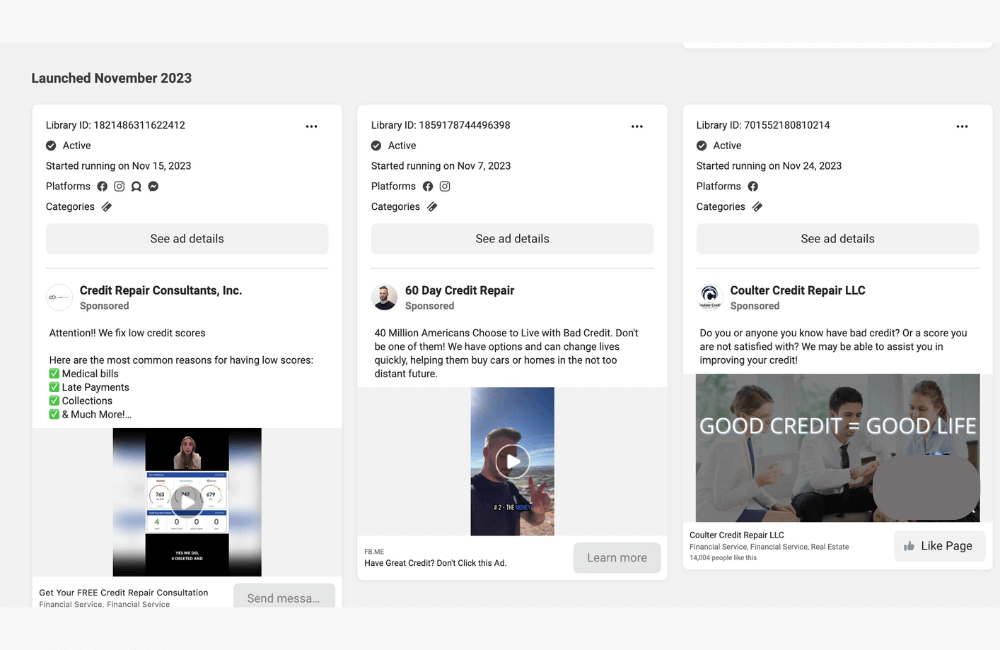
The credit repair niche is one of the most sensitive sectors when running ads on Facebook. It is no coincidence that Meta includes credit repair in the Special Ads Category along with credit, employment, and housing. To run effectively and avoid being banned, advertisers must understand the nature of this niche and the reasons behind the restrictions Facebook applies. If your credit repair ad campaign has not spent any money or is being rejected continuously, please consider using Facebook ads services from BlackHatWorld!
Owning a team of ad experts with over 10 years of practical experience, along with a diverse, high-quality account system, BlackHatWorld provides stable and effective Facebook advertising solutions for businesses. When partnering with us, customers will be provided with reputable Agency ad accounts that have operated through many real campaigns, particularly effective in difficult industries such as gambling, nutra, finance, and many other sensitive niches.
With the advantage of being an official Facebook partner, we build and manage an abundant inventory of ad accounts that are strictly controlled for quality. As a result, customers always have many account options suitable for their business model, budget, and growth goals, helping to optimize ad performance right from the start.
Why does Facebook tighten Credit Repair Ads?
Facebook once faced significant criticism and legal risks related to allowing financial ads to target too deeply. In the past, many businesses exploited user data to target vulnerable groups such as those with bad debt, low income, or financial difficulties, then provided overly promising messages. Typical examples are ads like:
- “Clear all bad debt in just 30 days.”
- “Guaranteed 100-point credit score increase”
- “No income needed, still get a loan.”
These messages are not only misleading but can also lead to financial damage for users. Therefore, Facebook was forced to intervene by categorizing credit repair into the special ad category to limit risks and protect users.
Credit Repair is a Financial Service that directly impacts Users’ Rights
Unlike common industries such as e-commerce or education, credit repair services directly impact:
- Borrowing capacity
- Opportunities to buy a house or a car
- Access to other financial products
Just one wrong decision can have a long-term impact on a user’s life. Therefore, Facebook considers this a field that requires strict control over ad content, targeting methods, and advertiser behavior.
Credit Repair Ads on Facebook still Work in 2026?
The demand for improving credit scores has never decreased. Interest rates for loans, buying houses, buying cars, and accessing business capital are increasingly and closely dependent on credit scores. This makes credit repair services remain a real demand, with real customers who are ready to pay.
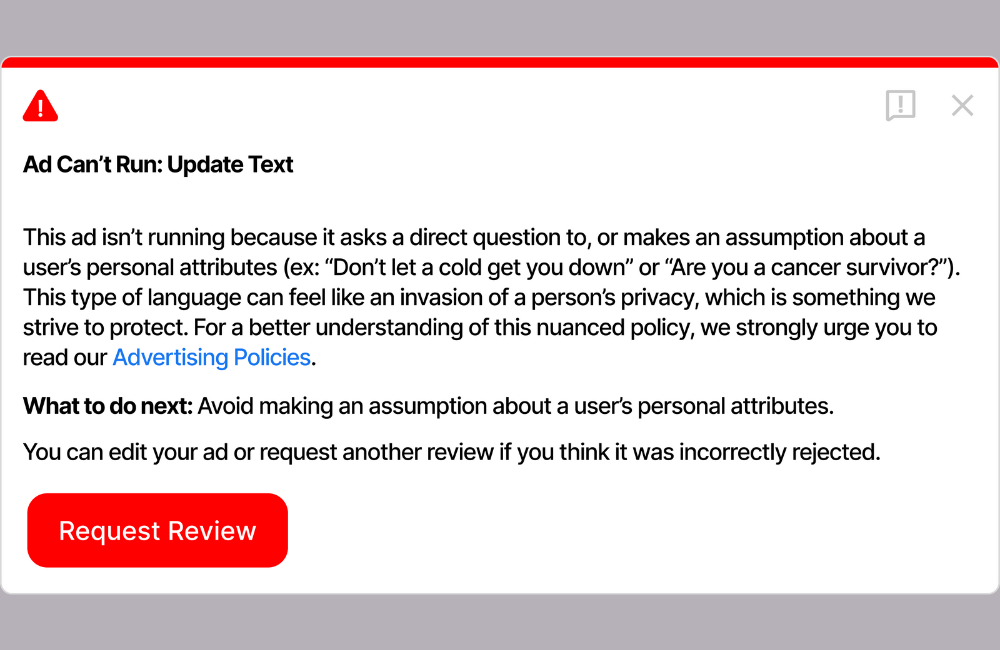
However, the problem does not lie in market demand but in how advertisers reach users. Facebook does not ban credit repair services, but they strictly control advertisements that show signs of promising results, manipulating emotions, or misleading users. Old ways of running ads like “clear debt in 30 days” or “guaranteed 200-point credit score increase” will almost certainly have no chance of survival in 2026.
Facebook does not make it difficult for Financial Businesses
We have worked with many financial businesses running loan ads campaigns and noticed a common point: accounts are restricted not because of the industry, but because of the advertising message. Meta is particularly sensitive to factors such as guaranteed results, excessive before-and-after comparisons, targeting financial fears, or making users misunderstand that the service is “guaranteed.”
Conversely, campaigns that take an educational approach are still running steadily. For example, instead of directly advertising credit repair services, advertisers are switching to providing content such as “Guide to understanding credit reports,” “5 mistakes that lower credit scores that many people do not know,” or webinars explaining how the credit system works. This is content that Facebook evaluates as safe and provides value to users.
The game has changed for Credit Repair Businesses
In 2026, credit repair ads is no longer a “fast-hit, cheap lead” game. Instead, it is a game of longer funnels, better content, and stricter compliance. Leads may not be as cheap as before, but the quality is higher, and the conversion rate is better if the consulting process is built professionally.
We clearly see that advertisers who invest in branding, educational Fanpages, neutral content, and professional lead nurturing processes are still generating sustainable profits. Conversely, those who try to “bypass” using strong language, shocking images, or attractive promises often pay the price by losing ad accounts very quickly.
How to run Credit repair ads Facebook without bans
To ensure your credit repair service ads run stably and without risks of rejection or account restriction, we always recommend that you start correctly from the campaign setup stage. In this section, we will go through specific steps in Ads Manager, accompanied by practical examples to make it easy for advertisers to apply.
Step 1: Create a new campaign in Ads Manager
You access Ads Manager. In the top left corner, click the green Create button to start a new campaign. Immediately after, Facebook will ask you to choose a campaign objective. For the credit repair model, most advertisers will fall into these two options:
- Leads: suitable if you collect customer information for calling, consulting, or email nurturing.
- Sales: suitable if you directly sell a service package or credit repair program right on your website.
We usually choose Sales and then press Continue. We always prioritize Manual Sales Campaign to better control each optimization step. When the campaign interface opens, you need to remember that Facebook ads have 3 clear levels:
- Campaign: campaign level, represented by a folder icon.
- Ad set: ad set level, represented by a four-square icon.
- Ad: ad level, represented by a single-square icon.
Understanding which level you are at will help avoid confusion when editing budgets, audiences, or content.
Step 2: Name the campaign and categorize correctly from the start
Naming campaigns clearly helps you manage more easily when the account has many campaigns at once. We usually use the structure:
- L1 is a cold traffic campaign, reaching completely new customers.
- L2 will be for remarketing, targeting people who have interacted before.
- Sales is the campaign objective.
This naming method helps you know immediately what the campaign is doing and which funnel stage it is in just by looking.
Step 3: Select Special Ad Category for the Credit Repair campaign
This is an extremely important step. Since credit repair belongs to the financial services group, you are required to declare a Special Ad Category. In this section, you select Financial Products and Services.
Many new advertisers often think they can “bypass” this step to target more deeply. In reality, you can run for a very short time, but sooner or later, Facebook will flag, reject the ad, or even restrict the account. Our experience is to always do it right from the start for long-term operation. After finishing the selection, click Next to move to the Ad Set level.
Step 4: Setting up Ad Set and basic technical elements
At the Ad Set level, we begin setting up the most important parts: audience and budget.
- Conversion location section: select your website (suitable for almost all credit repair models).
- Performance goal section: select Maximize number of conversions.
- Pixel section: select the Pixel currently being used for the website.
- Conversion event section: select the primary conversion event, for example, Submit Form or Purchase.
Regarding the budget, with the initial testing strategy, we usually run 3 Ad Sets. Each Ad Set is 20 USD/day
=> The total budget is 60 USD/day for one campaign. This level is sufficient for Facebook to have data for optimization. You can adjust this based on your actual budget. We usually do not set an end date because we check and optimize the account daily.
Step 5: Setting up the Audience correctly for the Credit Repair niche
Since the Special Ad Category was selected, the audience section will be restricted:
- Age: leave blank, Facebook will automatically optimize within the allowed range.
- Gender: select All.
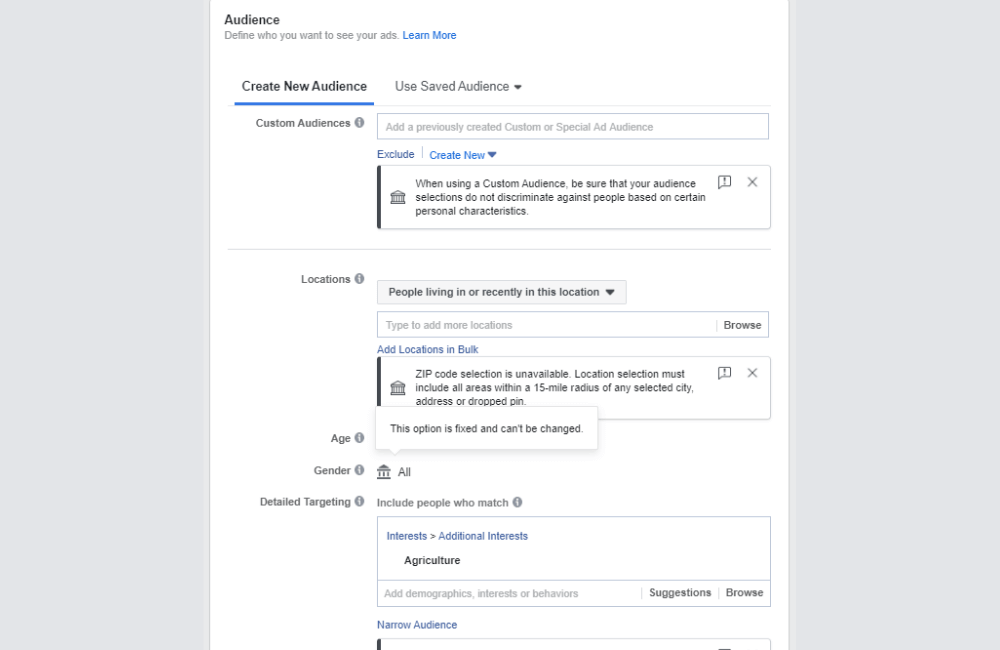
In the Detailed Targeting section, we apply a 3-layer targeting strategy to test effectiveness.
Layer 1: Directly related to the service
The most typical example of credit repair is Credit Cards. This is an audience group with very closely aligned needs. After selecting, we name the Ad Set as Credit Cards for easy management.
Layer 2: Closely related
In the second Ad Set, we remove Credit Cards and replace it with Credit Union. This is a group of people with clear interests in finance and credit.
Layer 3: Indirect but highly potential needs
In the third Ad Set, we use First-time Home Buyer. This group often needs a good credit score to buy a house, so the demand for credit repair is very high.
After each targeting layer, we use Quick Duplicate to replicate the Ad Set while keeping the ads inside unchanged.
Step 6: Set up ads at the Ad Level
At the Ad level, we recommend that you only set it up once while testing the audience. The reason is that when testing, you should only change one variable at a time, which in this case is the audience.
- Format: Single image or video.
- Creative source: Manual upload.
Ad Creative section:
- Media: You use tools like Canva and Capcut to edit photos and videos to comply with Facebook standards.
- Primary text: Write educational content for L1 campaigns (cool audience), and write content more closely related to credit repair services for L2 campaigns (remarketing).
- Headline: Refer to keywords in the Facebook search bar to write titles.
- Destination: Your website URL, where conversions take place.
Personally, we prioritize video because conversion rates are usually better in the credit repair niche. However, prepare 3-5 videos to replace them when campaigns are rejected.
Step 7: Run tests to collect data and select win ad sets
After completion, you will have:
- 3 Ad sets
- Each ad set costs 20 USD/day
- Ad samples
The remaining task is to let the ads run for about 3 to 5 days to collect initial data. After that, you analyze cost per lead, conversion rate, and lead quality to decide which ad set to keep, turn off, or scale.
Running credit repair ads on Facebook will no longer be a “gamble” if you clearly understand policies, choose the right special ad category, and build transparent, compliant content from the start. When following the correct process, advertisers can completely generate quality potential customers, optimize costs, and scale sustainably without worrying about account restrictions or disablement.
Frequently asked questions
Yes. You are required to select the Special Ad Category under the Financial Products and Services group; otherwise, ads are very likely to be rejected or the account restricted.
There is no absolute 100% guarantee, but strictly complying with categories, maintaining transparent content, and setting up correctly will help reduce risks to the lowest level and ensure stable long-term ad performance.
💬 Contact now for free consultation from BHW!
- Website: https://vi.blackhatworld.io/
- Telegram: @bhw_agency
- Whatsapp: +84819001811
- Wechat: bhwagency
- Email: [email protected]
This article is also available in other languages:


