How to Place an Ad on Facebook: The Simple 5-Step Guide for Beginners
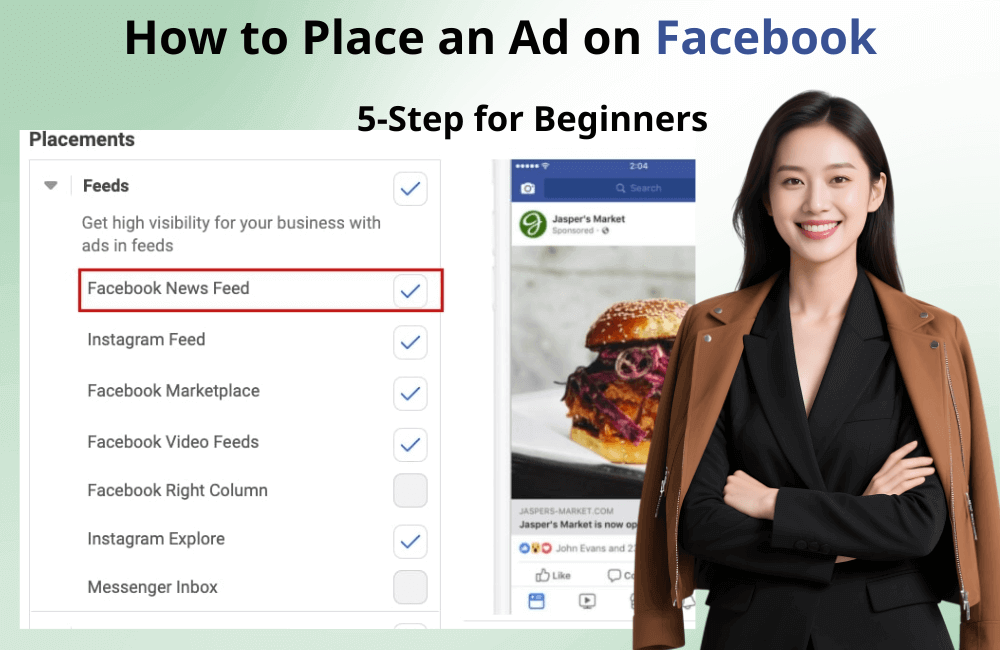
Usually, those who are new to Facebook advertising tend to move very quickly: they only select the audience and location, leave placements on default, and then click continue. But did you know that choosing the right ad placement is actually crucial, especially for niche industries with a specific customer file? If Facebook provides up to 20 placement options and you only need to select 5 or 6 suitable ones, why let the ad appear in the remaining 15 spots and waste your budget?
When you know how to choose the right ad placements while eliminating unnecessary ones, the advertising cost will be significantly reduced, and the conversion rate will also be higher. This is one of the important budget optimization techniques that every advertiser should apply. In this article, BlackHatWorld will guide you through 5 basic steps to select the Facebook ad placements, helping your campaign achieve maximum effectiveness.
Should I Use Automatic Placements or Manual Placements?
When we scroll down to the “placements” section in Facebook Ads Manager, you will automatically see the Automatic Placements option enabled by default. Previously, many advertisers, including us, often advised you to manually Edit Placements to better control where the ad appears. However, at the moment, our new advice is to use Automatic placements, but only if you are running a campaign with a Conversion-based objective.
Only use Automatic Placements when there is a “Conversion Objective”
The Conversion objective includes campaigns aimed at specific actions such as:
- Conversions
- Lead generation
- App installs
These are the objectives that the Facebook system can analyze and optimize based on user behavior data. When you select these objectives, Facebook will automatically determine which placements are most likely to bring the best results, such as the Facebook Feed, Instagram Feed or Messenger.
For example, in a recent lead generation campaign we ran, Facebook used data from tens of thousands of previous registrations to detect which placements had the highest conversion rates. The result was that the cost per lead decreased by up to 35% compared to when we selected placements manually.
Therefore, if you are running ads with a conversion objective, Automatic Placements will help the Facebook system work with you, optimize delivery, and bring maximum results at a lower cost.
When should you use Manual Placements?
Conversely, if you are running campaigns with objectives such as:
- Traffic
- Engagement
- Video views
Then we recommend that you edit the display placements manually (Edit Placements)
The reason is very simple: these objectives focus on quantity rather than quality. Facebook can display your ads in “easy-to-click” places like partner apps or websites (Audience Network), where users might accidentally tap the ad without any genuine interest in your product or service.
Technically, Facebook still achieves the “Traffic” or “Engagement” objective you set, but those clicks do not bring actual value. In other words, you are paying for virtual visits.
Therefore, for campaigns focused on awareness or engagement, manually select ad placements that truly bring value, such as the Facebook Feed, Reels, or Instagram Feed, instead of letting Facebook decide everything.
How to Place an Ad on Facebook: The Simple 5-Step Guide for Beginners
Before starting to set up ad placements, we need to clearly understand that Facebook has four main platforms for displaying ads: Facebook, Instagram, Audience Network (external partner network), and Messenger, WhatsApp. These are the channels that Meta allows advertisers to reach users.
Step 1: Select the platform suitable for the ad objective
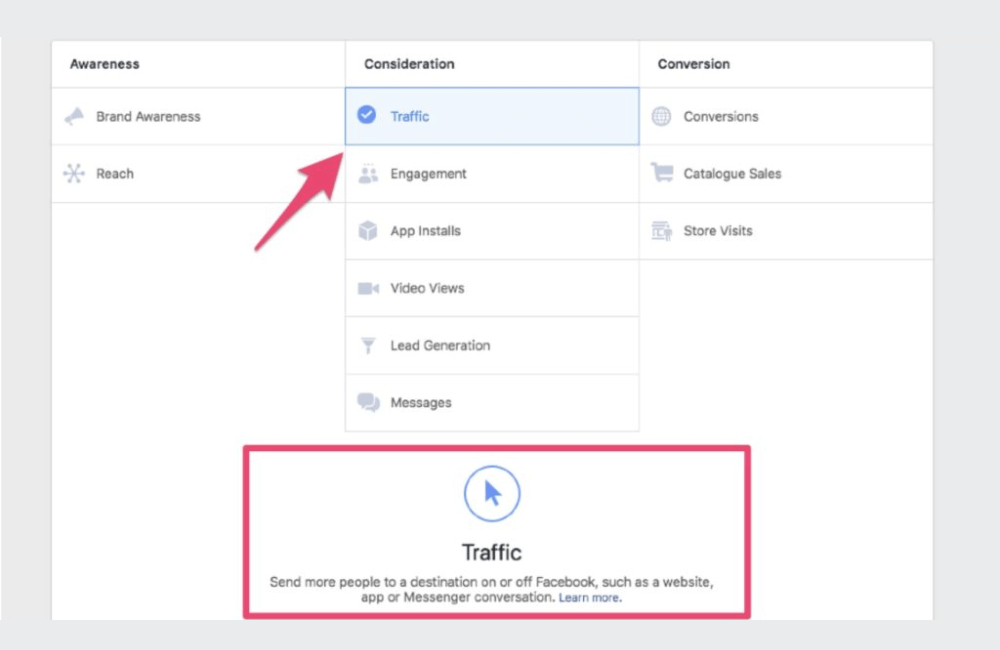
Normally, we do not recommend completely removing Facebook or Instagram, as these are still the two platforms that deliver the highest efficiency. However, if you only want to increase followers for a specific platform, you can temporarily turn off the other platform.
For example, if you are running a campaign with a Traffic or Reach objective, meaning it aims to increase visits or awareness instead of measuring conversions, then Audience Network should be the first choice to eliminate. Audience Network is a system that displays ads on external apps and websites outside of Facebook, and sometimes the impressions here are low-cost, but do not bring the desired viewer quality. If you do not want your brand to appear in unreliable apps or websites, it is best to turn off the Audience Network.
Regarding Messenger, most professional advertisers notice that the conversion volume from this platform is not high. Therefore, unless you are running Message ads, you can turn off Messenger to optimize your budget.
Step 2: Focus on quality display placement
When you only keep Facebook and Instagram, you will see most of the available placements. Facebook divides them into different groups. Among these, “Feeds” is the most effective area and should be the top priority. This is where users spend most of their time scrolling through posts, and is also the placement that generates 60–70% of clicks for Traffic campaigns.
specifically, you should select the Facebook news feed and Instagram feed if you want your ads to appear naturally and reach the right potential users. For objectives like Traffic, Reach, or Awareness, you can completely keep the default option or only select these two items for testing.
Step 3: Combine Stories & Reels to expand reach
In addition to Feed, Stories and Reels are also two placements worth considering. Although the click-through rate in stories is often lower because users tend to “swipe quickly” past the content, the reach is very high. If you promote short content, vivid images, or vertical videos, Stories, and Reels will help your brand become more relatable and authentic.
Step 4: Eliminate low-quality placements
Placements like In-article, Search, and In-stream can be enabled if you want to increase coverage, but we usually turn off In-article because most of the content here is found on low-quality news sites or third-party apps, which are prone to clickbait. This can negatively affect your brand image.
Step 5: Select placements based on campaign objective
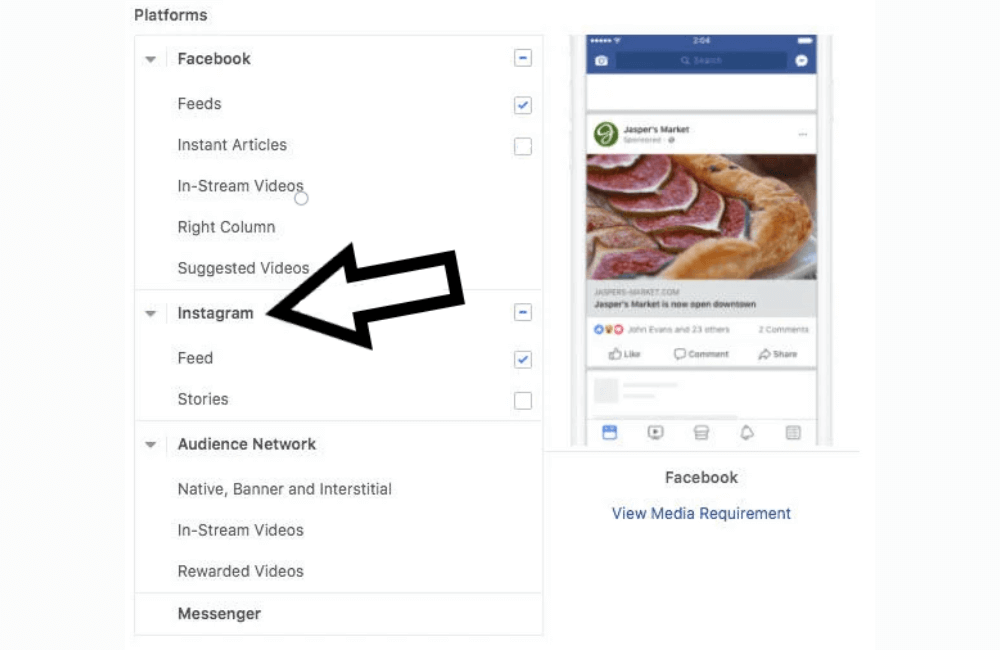
If you are running non-conversion campaigns such as Awareness, Reach, Traffic, or Video Views, choosing just Facebook & Instagram Feeds + Stories is sufficient. This set of placements is both effective and budget-friendly.
However, if you are running a conversion-based campaign, such as Lead Generation, Conversions, or App Installs, we recommend you keep Automatic Placements. Facebook will automatically deliver the ads to the most effective location, helping to optimize results based on the platform’s algorithm.
Understanding and correctly setting up Facebook ad placements not only helps you save budget but also optimizes the effectiveness of reaching potential customers. When you know how to choose the right place for your ad to appear, every dollar spent yields real value. We hope that with the 5-step guide in this article, you will feel more confident when deploying Facebook ad campaigns and achieve the best results for your business.
Frequently asked questions
If you are just starting, you can try the automatic mode for Facebook to distribute the ads itself. However, once you have data and experience, you should choose manual placements to eliminate ineffective placements, helping to optimize costs better.
You can check under the “breakdown” → “placement” section in Facebook’s ads manager. Here, Facebook will display the detailed performance of each placement, helping you easily determine which one brings the highest conversion rate and where you should focus your budget.
💬 Contact now for free consultation from BHW!
- Website: https://vi.blackhatworld.io/
- Telegram: @bhw_agency
- Whatsapp: +84819001811
- Wechat: bhwagency
- Email: [email protected]
This article is also available in other languages:


