Facebook Ad Dimensions: The Ultimate Guide for All Placements (2026)
If you pay close attention, each ad placement on Facebook has its own requirements for technical specifications and sizes. This is because Facebook offers various ad formats, and each display position has its own specific standards. Understanding the standard sizes and specifications for each type not only helps ads look better but also helps the delivery algorithm work more effectively.
When you set everything up correctly from the start, the ad running process will be smooth and minimize potential errors. Conversely, with just the wrong size or specifications, ads may not deliver, might display poorly, or even be rejected by Facebook. Therefore, in this article, BlackHatWorld will provide a comprehensive and easy-to-understand summary of all the most important sizes and technical specifications for Facebook ads. If you are running ads, please read carefully to the end and save this information for future use.
Common Mistakes when customizing Facebook Ad Sizes
When running Facebook ads, many advertisers focus too much on targeting, budget, or message content while accidentally overlooking the foundational factor of ad sizes and specifications. Meanwhile, with just a small error in image ratio or resolution, your ad may display poorly, have important content cut off, or even fail to be approved by Facebook. In this section, we will go through the most common mistakes when customizing Facebook ad sizes and how to avoid them.
Using one size for all placements
The most common mistake many advertisers make is using a single image or video for all placements. For example, you design an ad with a 1:1 square ratio for the Feed, but let Facebook automatically distribute it to Stories or Reels. As a result, the image is cropped, losing important text, logos, or CTAs.
We often see advertisers placing text or characters too close to the top and bottom edges. When displayed on Stories with a 9:16 ratio, these parts are almost certain to be covered or cropped. The best solution is to prepare multiple creative versions with different ratios, such as 1:1, 4:5, and 9:16, while placing important content in the central safe zone.
Failing to follow safe zones in design
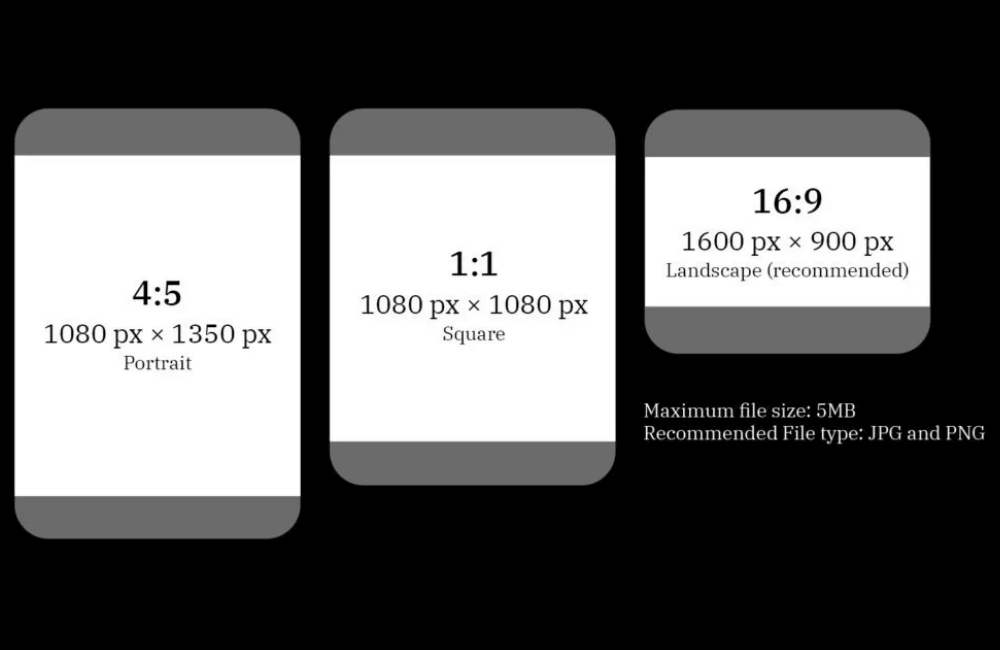
Another very common error is ignoring Facebook’s display safe zones. In reality, interaction buttons, Page names, captions, and interface icons will cover a portion of your image or video. For instance, when running video ads on Reels, if you place a sale headline or main message at the very bottom of the video, it will likely be obscured by the Follow or Like buttons. We always advise advertisers to keep important content within approximately 80 percent of the central area to ensure optimal display across all devices.
Using low-resolution images or videos
Many people believe that maintaining the correct aspect ratio is enough, but file quality is equally important. Using blurry images or pixelated videos when enlarged will make your ads look unprofessional and significantly decrease conversion rates. We have audited many campaigns with low CTR, and simply replacing the creative with a higher-resolution version led to a noticeable improvement in results. Facebook prioritizes user experience, so ads with high-quality visuals are often distributed more consistently.
Adjusting Dimensions without checking the Preview
Another mistake is that many advertisers upload their creative and launch the campaign immediately without checking the preview for each placement. This is very risky, especially when running a large budget. We always advise you to carefully check the preview on Feed, Story, Reels, and Messenger. With just a few minutes of checking, you can easily detect errors such as cropped text, incorrectly zoomed images, or CTA buttons appearing in the wrong positions.
Overusing Facebook’s Automatic Cropping Tools
Facebook offers automatic resizing features to fit various placements, but overusing them can sometimes be counterproductive. Auto-crop tools often do not understand which content is essential and which part can be sacrificed. For example, Facebook might automatically crop out a brand logo or a character’s face in a video. For sales or branding campaigns, this directly affects performance. Therefore, we recommend using auto-crop only for quick testing, while for the long term, you should prepare standard creatives for each specific format.
Designing too much text in a small space
Another error directly related to size is cramming too much text into a small frame. When displayed on mobile, the text becomes very difficult to read, especially with Story or Reels ads. Instead of trying to put all the information into one image, we recommend that advertisers focus on one main message, leaving the rest for the caption or landing page to handle. The simpler the ad, the higher the ability to attract and keep attention.
Not updating new Facebook standards
Facebook frequently changes and updates its ad display standards. If you still use old sizes or outdated specifications, your ads may not take full advantage of the display space or may suffer from reduced performance. We always remind you to follow the latest updates on ad sizes and specifications. Timely updates help you avoid unnecessary errors and keep your ads compatible with the current delivery algorithm.
Facebook Ad Dimensions: The Ultimate Guide for All Placements (2026)
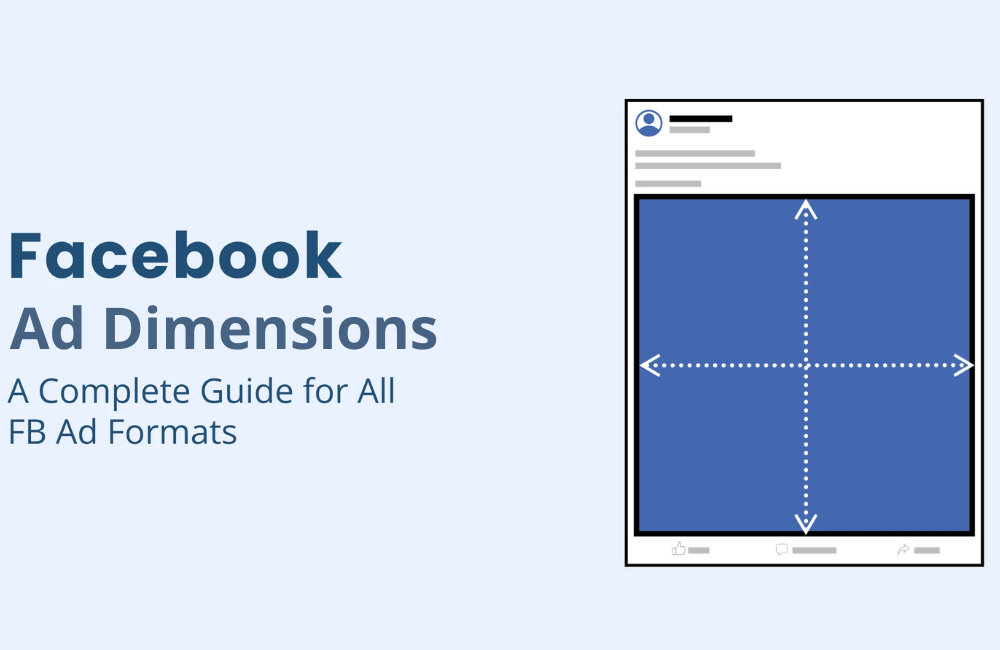
In the context of Facebook constantly updating algorithms and expanding more ad placements, mastering the sizes and technical specifications for each format is a mandatory factor if you want your ads to be distributed stably and cost-optimized. We have met many advertisers running the same content, but the performance was significantly different, simply because the creative was not in the correct ratio or had the wrong technical specifications.
Single Image Ad Specifications
Single-image ads are a basic format but remain extremely effective if you want to drive traffic to a website, landing page, or application. For new advertisers, this is often the first format used because it is easy to implement and control the message. We recommend that you use clear images with good color contrast and focus on one main message. For example, if you are selling skincare products, use close-up product images combined with before-and-after results to increase click-through rates.
Design recommendations
- File type: JPG or PNG
- Aspect ratio: 1.91:1 to 4:5
- Recommended resolution:
- 1:1 ratio: 1440 x 1440 pixels
- 4:5 ratio: 1440 x 1800 pixels
Text recommendations
- Primary text: 50 to 150 characters
- Headline: maximum 27 characters
Technical requirements
- Maximum file size: 30MB
- Minimum width: 600 pixels
- Minimum height:
- 1:1 aspect ratio: 600 pixels
- 4:5 aspect ratio: 750 pixels
- Aspect ratio tolerance: 3%
Single Video Ad Specifications
Single video ads are the ideal choice when you want to convey more information in a short period. Videos help products come to life, especially suitable for industries such as ecommerce, apps, online courses, or services. Therefore, when implementing, we need to meet Facebook video ad size requirements to avoid frame cropping.
For example, with a course sales campaign, we usually use 20 to 30-second videos, starting with a major customer problem, then offering a solution, and ending with a clear call to action.
Design recommendations
- File type: MP4, MOV, or GIF
- Aspect ratio:
- 1:1 for both desktop and mobile
- 4:5 specifically for mobile devices
- Video settings: H.264 compression, square pixels, fixed frame rate, progressive scan, stereo AAC audio at 128kbps or higher
- Recommended resolution:
- 1:1 aspect ratio: 1440 x 1440 pixels
- 4:5 aspect ratio: 1440 x 1800 pixels
- Video captions: optional but highly recommended
- Audio: optional but encouraged
Text recommendations
- Primary text: 50 to 150 characters
- Headline: maximum 27 characters
Technical requirements
- Video duration: 1 second to 241 minutes
- Maximum file size: 4GB
- Minimum width: 120 pixels
- Minimum height: 120 pixels
Additionally, for some special objectives, Facebook also supports 360 videos. When viewers see this type of ad, they can rotate their phone or drag their hand to explore the space within the video. This format is suitable for the travel, real estate, or experiential event industries.
Carousel Ad Specifications
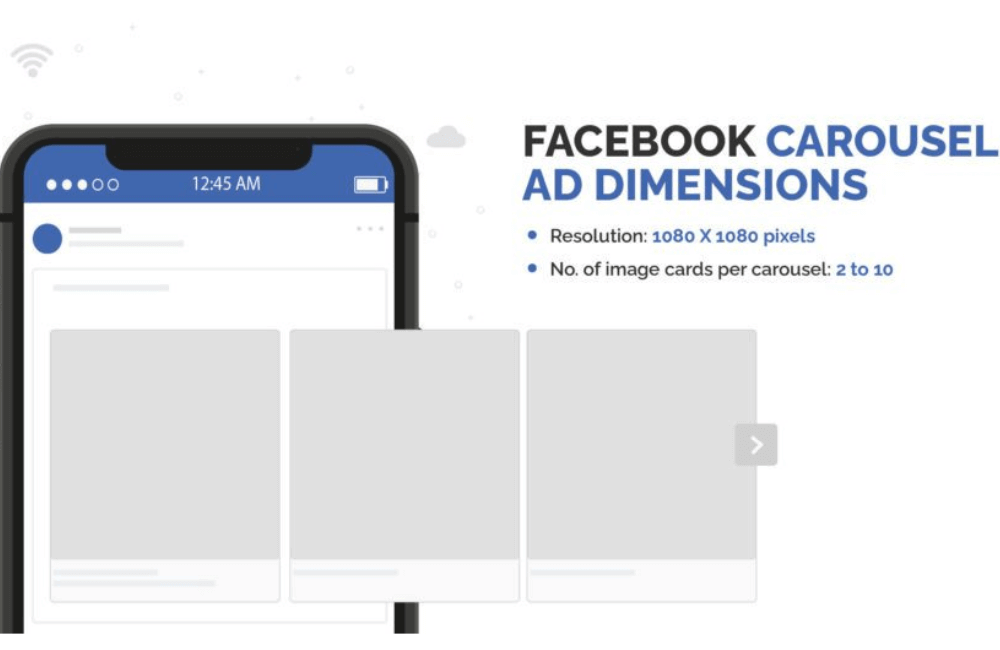
Carousel ads allow you to display 2 to 10 images or videos within a single ad, with each card leading to a unique URL. This is a very powerful format if you want to showcase multiple features of a product or tell a story step-by-step. For example, e-commerce advertisers often use carousels to display different color versions of the same product, or describe the usage process step-by-step.
Design recommendations
- Image file type: JPG or PNG
- Video file type: MP4, MOV, or GIF
- Aspect ratio: 1:1 or 4:5
- Resolution: minimum 1080 x 1080 pixels
Text recommendations
- Primary text: maximum 80 characters
- Headline: maximum 45 characters
- Description: maximum 18 characters
- Landing page URL: required
Yêu cầu kỹ Technical requirements
- Number of carousel cards: from 2 to 10
- Maximum image file size: 30MB
- Maximum video file size: 4GB
- Video duration: from 1 second to 240 minutes
- Aspect ratio tolerance: 3%
Collection Ad Specifications
Collection ads are designed to optimize the shopping experience on mobile devices. This format allows Facebook to automatically display the most relevant products from your catalog to each viewer. When users click on the ad, they will be directed to a full-screen experience, also known as an instant experience. Here, they can browse products, read descriptions, and access detail pages with just a few taps. This is the format we often recommend for e-commerce advertisers with a complete product catalog.
Design recommendations
- Image type: JPG or PNG
- Video file type: MP4, MOV, or GIF
- Aspect ratio: 1:1
- Resolution: minimum 1080 x 1080 pixels
Text recommendations
- Primary text: maximum 125 characters
- Headline: maximum 40 characters
- Landing page URL: required
Technical requirements
- Instant experience: required
- Maximum image file size: 30MB
- Maximum video file size: 4GB
Understanding Facebook ad sizes and specifications not only helps your ads get approved faster but also ensures content displays beautifully and consistently across all placements. When creatives are designed to standard, Facebook will distribute them more effectively, costs will be more stable, and the ability to generate conversions will be higher. We advise advertisers to always double-check dimensions before running to avoid small errors that can significantly impact campaign performance.
Frequently asked questions
You can, but you should not. Using common ratios like 1:1 or 4:5 will help ads display on many placements. However, to optimize performance, we recommend adjusting creatives to fit each important placement.
Yes. In many cases, ads may not be distributed, have important content cropped, or even be rejected by Facebook. Therefore, advertisers should strictly follow specifications to avoid wasting budget.
💬 Contact now for free consultation from BHW!
- Website: https://vi.blackhatworld.io/
- Telegram: @bhw_agency
- Whatsapp: +84819001811
- Wechat: bhwagency
- Email: [email protected]
This article is also available in other languages:


