Facebook Ad Management: The Daily Checklist to Maximize ROI (2025)
In the context of increasing competition on Facebook, merely creating good ads is not enough. Advertisers need a strict campaign management process, continuously monitoring and optimizing every metric to ensure the budget is used correctly and yields the highest profit. Heading into 2025, as the Meta algorithm changes faster, ad costs fluctuate sharply, and user behavior becomes more unpredictable than before, a daily ad management checklist becomes the “secret weapon” that helps businesses maintain stable performance and maximize ROI. In this article, BlackHatWorld will share the comprehensive checklist that professional advertisers use every day to keep campaigns healthy, cost-effective, and sustainably growing. If you want your Facebook ads to work smarter instead of costing more, this checklist is the perfect starting point.
Factors to prepare before optimizing Facebook ads
Before we and you begin to optimize any campaign, it is crucial to ensure the technical foundation is correctly set up. If these components are incomplete, ads can easily “burn money” without bringing in the expected data or conversions. Below are the core steps every advertiser should prepare before running a campaign.
Facebook Ads Manager
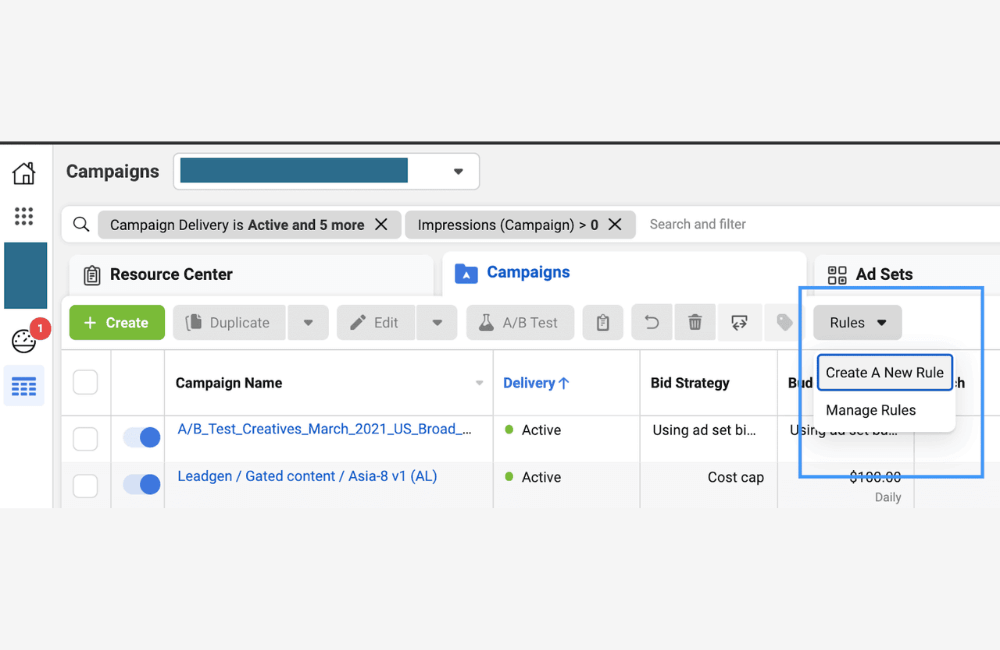
The ads manager is the control center for all your advertising activities. This tool is located within the Meta Business Portfolio and is where we use to create ad accounts, manage budgets, analyze reports, and track performance.
After the Business Portfolio is set up, you can access business settings and create your first ad account. Each Ads Manager account has a unique ID – this is extremely important information if you want to set up the data set or share access with others. If your business needs multiple ad accounts, you can create more by:
- Go to the ad accounts section under accounts
- Select Add and name the account, choose the currency, and the time zone
- Update complete payment information
Facebook will also ask whether you are running ads for your own business or for another client entity. If you cooperate with an agency like us for advertising support, you can add the agency under partners for secure permission assignment. Note: We always recommend only adding internal staff under people to ensure account security. After completion, revisit Ads Manager to ensure you can start creating your first campaign. If your ad campaign is repeatedly rejected, contact BlackHatWorld – the leading advertising agency.
BHW Agency provides comprehensive, effective, and secure advertising solutions for businesses. With over 10 years of experience in providing advertising resources, we own a robust account system that fully complies with Facebook’s policies as well as legal regulations. The accounts have high trustworthiness, good activity history, no policy violations, and always maintain stable spending levels. As a result, businesses can implement campaigns smoothly and quickly, while maximizing the potential for automated budget optimization in a short period.
Data Set (Pixel Facebook)
The dataset is the “backbone” of every campaign, as it tracks important behaviors such as page views, form fills, adds to cart, and purchases. Without a dataset, Facebook cannot optimize ads for the correct objective.
We recommend that you set up the dataset before running any campaign to ensure all data is collected from the start. To create a data set, access the Meta Event Manager:
- Click on the Data Sources icon.
- Select your data name and ID.
- Click to Set Up the dataset.
You can set up manually using a code snippet, but if you are unfamiliar with coding, a web developer can quickly assist. During this process, you will need to verify your domain and create tracking events through the event setup tool. If you use platforms like Shopify, WordPress, WooCommerce, or Google Tag Manager, Facebook provides step-by-step instructions. Just follow them and you’re done, no programming knowledge required.
Meta Business Portfolio
A business portfolio is a centralized location for managing all your advertising assets, including your fanpage, ad accounts, datasets, payment methods, and access permissions. Owning a business portfolio makes administration much more professional and secure. Creating a Business Portfolio is very easy:
- Access business.facebook.com
- Click create account
- Enter your business name, real name, and email
- Confirm your email to activate the account
Once complete, you have a centralized place to manage all advertising resources. This is a foundational step that any business needs, especially if you want to run large-scale advertising or collaborate with advertising partners like us.
Facebook Ad Management: The Daily Checklist to Maximize ROI (2025)
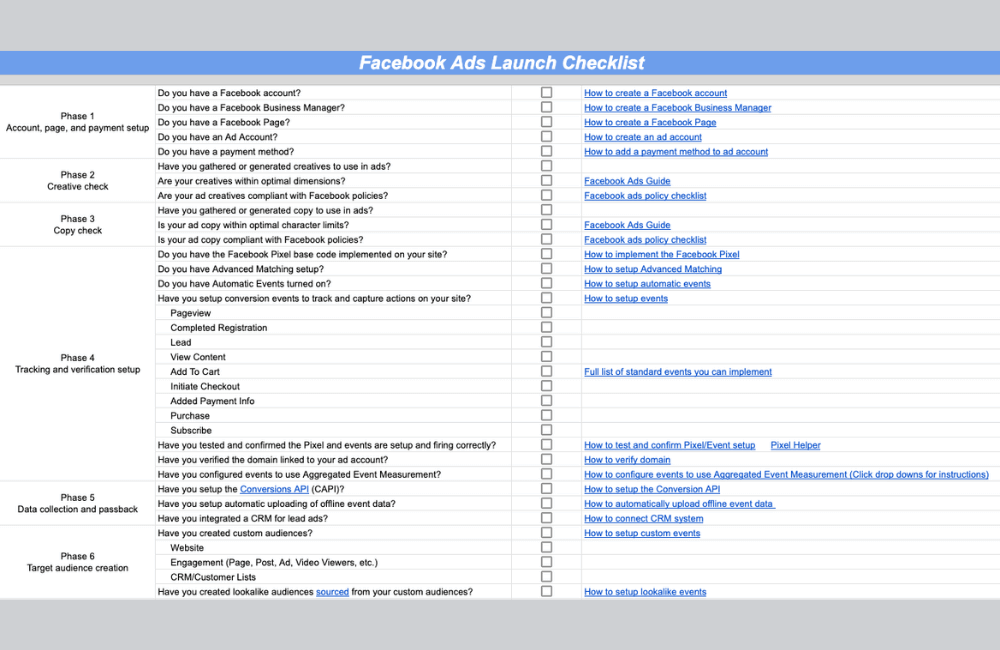
Before clicking the publish button for any Facebook ad campaign, checking and optimizing every small detail is extremely important. We will guide you through a daily checklist that helps your business growth model on Facebook ensure every factor, from page load speed, user experience on mobile, to tracking and ad content, operates smoothly. Correctly implementing these steps will help you maximize ROI, reduce wasted costs, and significantly increase campaign performance.
Check page load speed before running ads
Before you or the advertisers click the publish button, the first thing we always remind the team to do is check the page load speed. A landing page slower than 2 seconds can drastically reduce the conversion rate, especially when customers are accessing it from a Facebook ad, where everything happens very quickly.
To check, you simply need to use Google’s PageSpeed Insights tool. When you enter the URL, the system will analyze the load speed on both mobile and desktop. For example, we once optimized for a client in the online course sector, and by merely reducing the page load time from 4 seconds to 1.7 seconds, the cost per lead decreased by almost 30 percent. This shows that page load speed is not just a technical issue but a deciding factor for ROI.
Send URL to phone to test display
A very important step that many of you often overlook is previewing the landing page interface on a phone. We advise you to send the URL to your phone and open it directly to check the layout, font size, button functionality, and image display.
Because, in reality, up to 95 percent of visitors from Facebook ads come from mobile. For example, one of our campaigns once reduced the conversion rate to just 1 percent solely because the CTA button was obscured on the iPhone screen. After optimizing the mobile interface, the conversion rate skyrocketed to 12 percent.
This is why we always require the team to check the interface on at least 2 different device models before running ads.
Sign up or purchase yourself to ensure the process works
A standard campaign is not only good in the ad but must also be smooth from start to finish. Therefore, before running ads, we always recommend that you fill out the form, opt in, or purchase the product yourself. When acting like a real customer, you will be able to check a series of important factors such as:
- Is the form displaying correctly
- Is the user redirected to the correct thank-you page after filling it out
- Is the confirmation email or free offer sent immediately
If you are selling a paid product, try paying with a discount code to check the entire process. In reality, we once discovered a faulty email collection form only thanks to this testing step, which helped save tens of millions in wasted advertising costs.
Check and verify that tracking is working accurately
Once you have opted in or made a test purchase, observe whether the tracking system records accurately. For us, this is a “never-to-be-skipped” step because all subsequent optimization decisions depend on the data. Ensure that:
- The purchase pixel fires correctly when you make a test purchase.
- The lead pixel activates when you complete the form.
- The tags, code, or conversion API correctly record the event on the necessary pages.
For example, one of our partners once ran a lead form and lost up to 40 percent of their data simply because the pixel was firing in the wrong location. A small error but with huge consequences. Therefore, tracking must be carefully checked step by step.
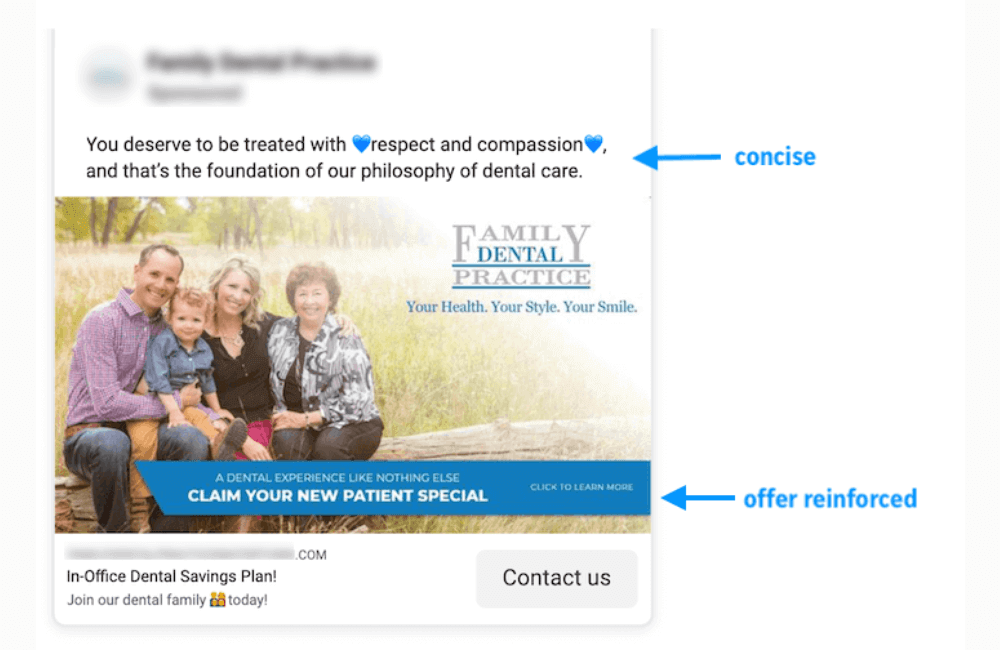
Review ad copy and landing page
The final step in the checklist is to review all the content. We usually reread the ad copy, headline, description, and landing page at least twice to ensure there are no spelling or grammatical errors.
Specifically, you should check the link by copying and pasting it, not typing it manually, to avoid character errors. We also often send the content to colleagues or relatives for a final proofread.
For example, there was a time when we asked a team member to read it again and discovered that just one incorrect character in the URL caused the entire campaign to waste nearly a whole day without any conversions. Small errors can sometimes lead to major consequences, so the final review is extremely important before the ad is published.
Effective Facebook ad management is not just about creating a campaign and hitting the publish button. By fully executing the daily checklist, from checking page loading speed, mobile experience, attempting test sign-ups/purchases, verifying tracking, to reviewing ad content and the landing page, you will ensure the campaign runs smoothly, optimizes ROI, and minimizes the risk of budget waste. Maintaining the habit of regular checking helps advertisers build sustainable and highly effective campaigns.
Frequently asked questions
We recommend checking the checklist daily or at least whenever you run a new campaign or make a large budget adjustment. Frequent checking helps you detect issues early regarding page loading speed, landing page display, or tracking, ensuring the ROI is always optimized and avoiding wasted advertising costs.
You should prioritize fixing the elements that directly affect conversion ability first: page loading speed, mobile display, and tracking (pixel or tag) to ensure accurate data. Only then should you check and edit the ad copy, headline, and landing page to complete the user experience without disrupting the campaign.
💬 Contact now for free consultation from BHW!
- Website: https://vi.blackhatworld.io/
- Telegram: @bhw_agency
- Whatsapp: +84819001811
- Wechat: bhwagency
- Email: [email protected]
This article is also available in other languages:


