How to hide my ads on Facebook Library (Update 2025)

The Facebook ad library is a tool created by Meta to enhance transparency. Here, users can view all active ads across Facebook, Instagram, Messenger, and other platforms within the Meta ecosystem.
For advertisers, this is seen as a “gold mine,” a place where one can analyze industry trends, research competitors’ creative strategies, and even discover content gaps to exploit. Conversely, with this feature, your own ads can also be monitored and learned from by competitors. Competitors can even use market ad spy tools to check your strategy. So, how can you leverage the benefits of Facebook Ad Library while maintaining a competitive advantage? Let BlackHatWorld explore tips to help you effectively hide your ads in this tool.
Hiding ads in the Facebook Ad Library for a competitive advantage in advertising
When major brands in highly competitive fields such as skincare, supplements, fashion, or other popular consumer industries run ads, there is always a risk of being monitored by competitors. Facebook ad library allows anyone to observe currently running ad campaigns, and this is where other advertisers can easily “spy” on our strategies.
We understand that having a successful ad idea imitated by a competitor can cause your brand to lose its market advantage. Many competitors often try to identify which ad creatives are performing highly, then quickly copy the idea and apply it to their campaigns. For instance, if your fanpage is running an ad for an “anti-aging serum” and achieves thousands of interactions, it is highly likely that after a short time, you will see another brand releasing an almost identical ad.
Although you cannot completely hide ads from the Facebook Ad Library, you can definitely apply a few tips to “mislead” competitors. One common strategy is to create decoy ads. These are ad creatives designed to look like key campaigns, but in reality, they are not. When competitors spend time and resources analyzing and imitating these ads, your truly effective advertising strategy remains a secret.
With this approach, we can both leverage the transparency that Facebook provides for market research and protect our competitive advantage, minimizing the risk of idea duplication. This is how many smart advertisers are operating to maintain their position in fiercely competitive industries.
How to hide my ads on Facebook Library (Update 2025)
For advertisers operating in fiercely competitive industries, revealing entire campaigns on Facebook Ad Library can sometimes bring many risks. Therefore, understanding methods to hide or restrict ad visibility will help you better protect your communication strategy. Below are two common methods that we often apply and want to share with you.
Method 1: Hide ads directly in Facebook settings
First, log in to the Facebook account you are using to manage ads. This is an important step to ensure we access the correct related settings section.
- In the top right corner, click on the personal account icon.
- Select Settings & Privacy.
- Then, continue to select Settings.
At this point, you will be taken to the page that manages all your personal information and options. In this category, look for the Account Center section.
Here, you will see the Ad Preferences section. Click on it to open the interface for managing all ad settings. In the detailed section, Facebook will display a list of advertisers you have interacted with or who have run ads to you.
Method 2: Use the Special Ad Category and audience limitation
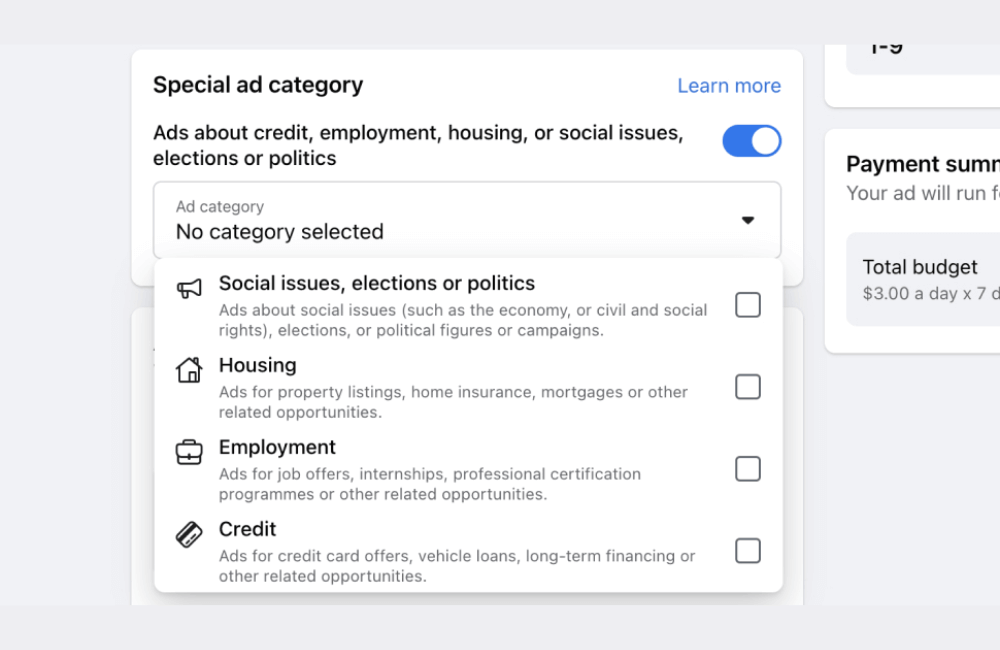
Besides operating directly in the settings, you can also utilize the Special Ad Category tool in Ads Manager. If you run ads related to finance, employment, or real estate, select this option to limit the display range. Facebook will automatically adjust the target audience and restrict the ad from appearing in the Facebook Ad Library.
Additionally, we can apply some further tricks:
- Limit ad duration: For example, if you only run a flash sale campaign for 3 days, the ad will also disappear from the Facebook library after it ends. This is a great way to significantly reduce the likelihood of competitors “spying on” your strategy.
- Limit by country: If you only target customers in Vietnam, you can limit the display range to only this region. This way, competitors in the international market will have difficulty finding your ad in the library.
We would like to note that no matter which method is applied, Facebook may still display ads in the Ad Library to a certain extent. However, by limiting the duration, geographical scope, and type of ad categories, you can significantly reduce the risk of your competitors thoroughly analyzing your marketing strategy.
Tips to Trick Competitors Tracking Your Ads on Facebook Ad Library
So how can you maintain a competitive advantage? Below are practical tips we share that can help you make it “difficult” for competitors to track your ads.
Running ads during specific time slots
Instead of letting your ads run 24/7, you can limit the display time to specific hours. For example, if your campaign focuses on customers in Hanoi, running only from 11:00 AM to 2:00 PM will make it difficult for your ads to appear continuously in the Facebook Ad Library. This cannot completely prevent tracking, but it will make it challenging for competitors trying to monitor the entire campaign.
Investing in decoy ads
A quite common tactic is to create decoy ads. We can run these ad creatives with a minimal budget, for instance, just $1 per day, and let them display for a long period.
Tools like SwipeKit often rely on how long an ad has been active to judge its effectiveness. This easily leads competitors to mistakenly believe that an ad that has been running for a long time must be “effective.” Consequently, they will waste time copying ad creatives that originally did not bring much value.
For example, if you have a highly effective sales campaign, you can totally create a “less appealing” version, or change the message slightly, and turn it into a decoy ad. Competitors will think it is the main campaign and try to copy it, while your true strategy remains safe.
Using multiple ad accounts
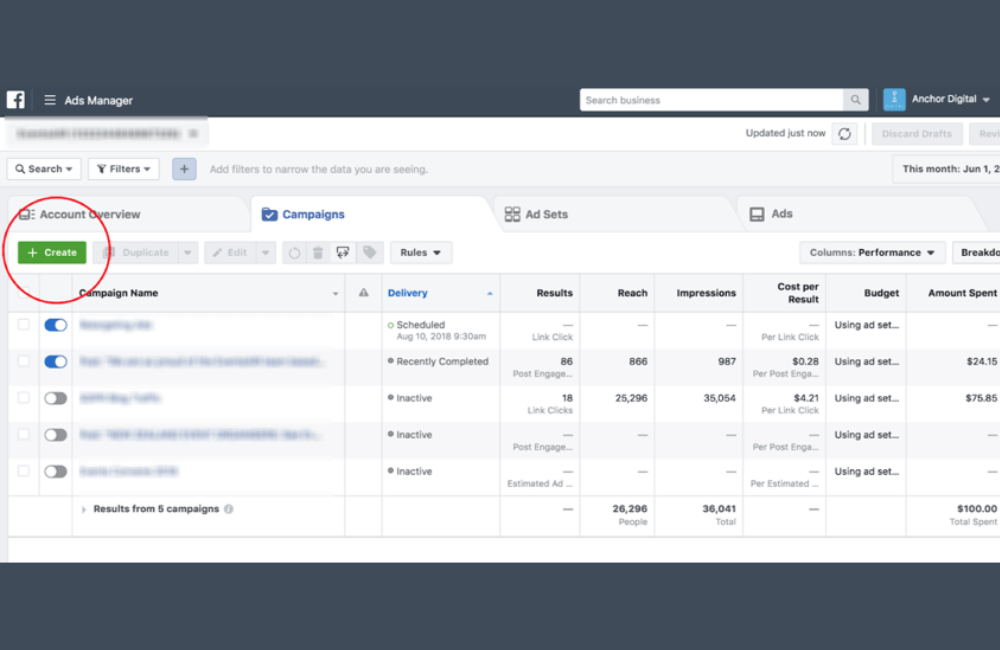
Another way to make things difficult for competitors is to spread campaigns across multiple ad accounts. This way, competitors will not have a comprehensive view of your strategy.
For instance, the brand Vshred and many mobile gaming companies often apply this tactic. If you try searching for “vshred.com” in the Facebook Ad Library, you will see ads appear under various accounts, making it very difficult for outsiders to piece together the entire campaign strategy.
This tactic may increase management complexity, but in return, it helps limit the risk of competitors easily “copying” your advertising strategy.
Completely hiding ads on Facebook library is impossible, but we can definitely apply smart tips to limit attention from competitors. With strategies like choosing specific running times, creating decoy ads, or distributing across multiple accounts, advertisers can protect their competitive advantage and keep their business secrets safe in 2025.
Frequently asked questions
No, Meta requires all ads to be publicly visible in the Facebook library to ensure transparency. However, we can use tricks like limiting running hours, tight geo-targeting, or creating decoy ads to reduce the risk of being copied by competitors.
Yes, even small businesses should consider it. For example, if you are running ads for a niche product with little competition, your competitors discovering and copying your ideas could make you lose your advantage. “Misdirection” tricks will help protect your budget and maintain ad efficiency.
💬 Contact now for free consultation from BHW!
- Website: https://vi.blackhatworld.io/
- Telegram: @bhw_agency
- Whatsapp: +84819001811
- Wechat: bhwagency
- Email: [email protected]
This article is also available in other languages:


