How to Delete Facebook Ad Activity & Stop Tracking
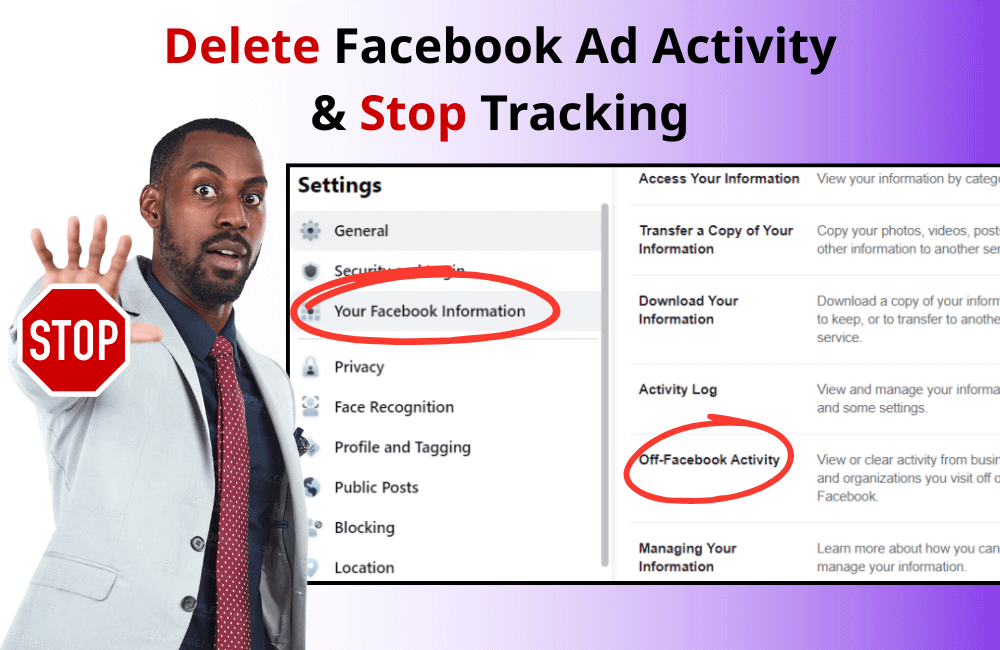
Surely, all of us know that Facebook constantly collects and tracks user data. But what many people do not truly realize is how wide that tracking scope is. Even when you do not open the app or visit the Facebook website, the platform can collect data from the websites you visit, the apps you install, the ads you interact with, and even some real-world services and locations.
The good news is that you can completely regain some control over your personal data. Facebook provides deep-hidden settings that allow you to clear your activity history and prevent future tracking. In this article, BlackHatWorld will provide detailed instructions on how to do this so that you can better secure your personal information and use Facebook more safely.
Why is it necessary to delete Facebook ad activity?
We believe that every Facebook user should clearly understand why they need to regularly delete their ad activity. Facebook does not just track you when you are logged in; even after you have logged out, data continues to be collected via cookies. These cookies are small files saved on your computer or phone that contain information related to your online behavior. This is also why many Facebook ads appear in users’ feeds.
Facebook collects data even from third parties
Facebook does not just stop at what you do on the platform; it also takes data from outside applications, websites, and services. For example, if you are shopping on an e-commerce site or signing up for a new app, those activities are likely recorded and used to personalize ads. This makes Facebook’s ad campaigns highly accurate, but it also raises privacy concerns.
Types of data Facebook can collect
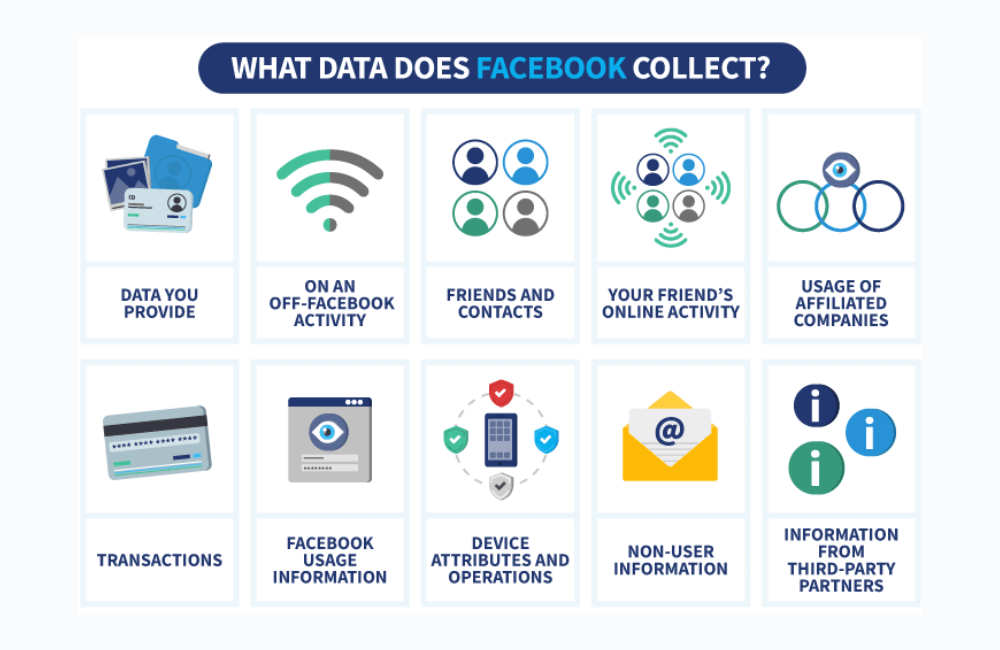
When it comes to data, the scope that Facebook stores is quite broad. Specifically:
- Content you create: Posts, comments, videos, or even voice messages.
- Camera content: Photos or videos that you capture or upload through Meta’s camera.
- Search history: Every keyword you type into the search bar is saved.
- Private messages: Both messages you send and receive can be recorded.
- Metadata: Including the time, location, or device used to create the content.
- Interaction habits: The types of content, apps, and features you frequently use.
- Device information: From phone type and operating system to IP address.
- Social connections: Your list of friends, followers, groups, fanpages, and accounts you frequently interact with.
As a user, allowing Facebook to control all this data may make you feel a loss of privacy. For advertisers, understanding how data is collected gives you a clearer view of how Facebook distributes ads. However, to balance ad effectiveness and personal safety, regularly deleting ad activity is a necessary step.
How to Delete Facebook Ad Activity & Stop Tracking
Facebook offers several settings to help you regain control over your personal data. Below are 5 steps to more effectively clear your off-Facebook activity.
Step 1: Open the Facebook app or website
Open the Facebook application on your phone or go to facebook.com on your computer browser. Data management can be done on both platforms, with only slight differences in the interface.
Step 2: Access the settings menu
Click on the personal profile icon:
- If you are using a computer or Android, it is in the upper-right corner.
- If you are using an iPhone or iPad, it is in the lower right corner.
Then select Settings & privacy → Settings. On a mobile device, you can also tap the gear icon in the upper-right corner.
Step 3: Go to the Accounts Center
Here, select Accounts Center – this section allows us to manage settings related to Facebook, Instagram, and other Meta platforms.
Under the Account Settings section, you will see Your information and permissions. Continue to select your activity off-meta technologies. This is where the entire history that Facebook collects from external websites, apps, or services is recorded.
Step 4: Clear off Facebook activity
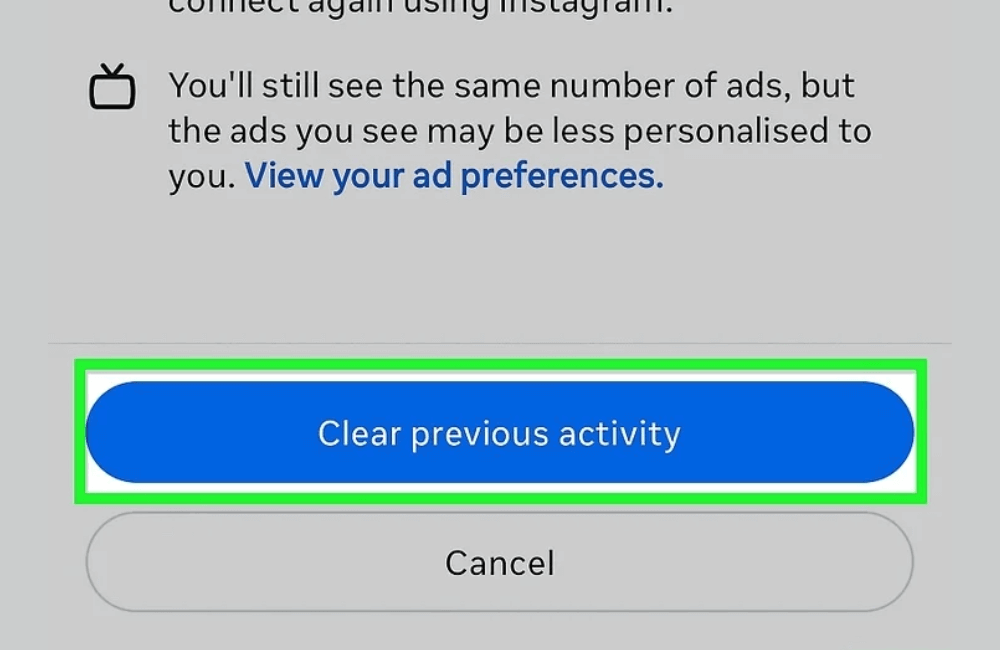
You have two options:
- Disconnect specific activity: For example, if you just visited an e-commerce site and do not want Facebook to record it, choose this option.
- Clear all off-facebook activity: Select Clear previous activity to delete the entire tracking history.
Note: This deletion only clears the record within Facebook and does not erase the actual data that Facebook has already collected. You will still see ads based on activity within the Facebook application.
Step 5: Manage future activity
To stop Facebook from continuing to track you, select manage future activity → turn off future activity. Upon confirmation, Facebook will no longer link newly collected data from external websites or apps to your account.
For example, if you visit an online shopping site after turning off this feature, Facebook will no longer display ads related to that product. However, this process may take up to 48 hours to fully apply.
Important Notes
- Clearing off-Facebook activity does not delete your in-app search history or ad history.
- You may still be logged out of services you logged into with your Facebook account after performing the clear.
- Facebook still receives data from partner businesses, but it will no longer be directly linked to your personal account.
Delete your search history to prevent Facebook from collecting usage data.
Many of us do not realize that every time we type a search keyword on Facebook, it is saved by the platform in the Search History. This data is often used to personalize ads and suggest content. Therefore, deleting the search history not only helps minimize Facebook’s collection of personal information but also prevents unwanted ads from appearing.
Step 1: Access the main menu of the app.
Open the Facebook app on your phone or tablet. On Android devices, the menu icon ☰ will be in the top right corner; while on iPhone or iPad, it will appear in the bottom right corner of the screen. This is the starting step for navigating to more in-depth settings.
Step 2: Open personal profile
Next, click on your name located at the top of the menu. Immediately, your personal Facebook profile will open. This is the place that contains all your activities and interaction history on the platform.
Step 3: Access the activity log
At the top of your personal profile, you will see the three-dot icon (•••). When you click on it, an extended menu will appear. From here, we need to select the “activity log” section. This is considered a “personal data center” where Facebook records all your actions – from liked posts and comments to search history.
If you have searched for a cosmetic brand to check prices or looked up an entertainment fanpage to follow, everything will appear in this section.
Step 4: Open search history
Once you are in the activity log interface, scroll down to the bottom of the list and select the “logged information” section. Then, continue to click on “searches” in the search history section. A range of options will expand for you to access more deeply.
From here, click on “Your search history.” Immediately, the entire list of keywords you have entered on Facebook will appear.
Step 5: Delete all search history
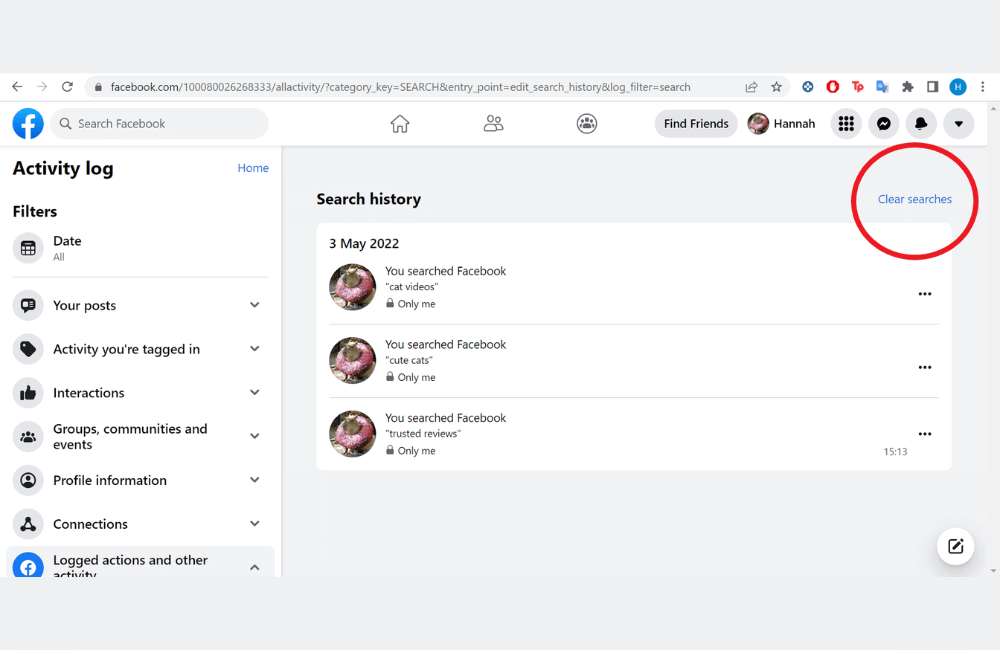
Finally, to remove this data, simply click the “clear search history” button. After this action, all previous search entries will be completely deleted.
For example, if you have searched for “buy cheap sneakers” or “Facebook Lead Ads,” this data will no longer exist in the account’s history system.
Removing ad activity and preventing Facebook from continuing to track you not only helps you regain some privacy but also limits being overly targeted by ad campaigns. Regularly check and update your security settings so we can feel more secure when using this platform.
Frequently asked questions
Yes. You will still see ads, but the ad content may be less relevant to your personal habits because Facebook no longer uses the deleted activity history for personalization.
This depends on individual needs. If you want to minimize tracking and maintain better privacy, we recommend deleting periodically, for example, once a month.
💬 Contact now for free consultation from BHW!
- Website: https://vi.blackhatworld.io/
- Telegram: @bhw_agency
- Whatsapp: +84819001811
- Wechat: bhwagency
- Email: [email protected]
This article is also available in other languages:


