How to Spot Fake Ads on Facebook Before You Click
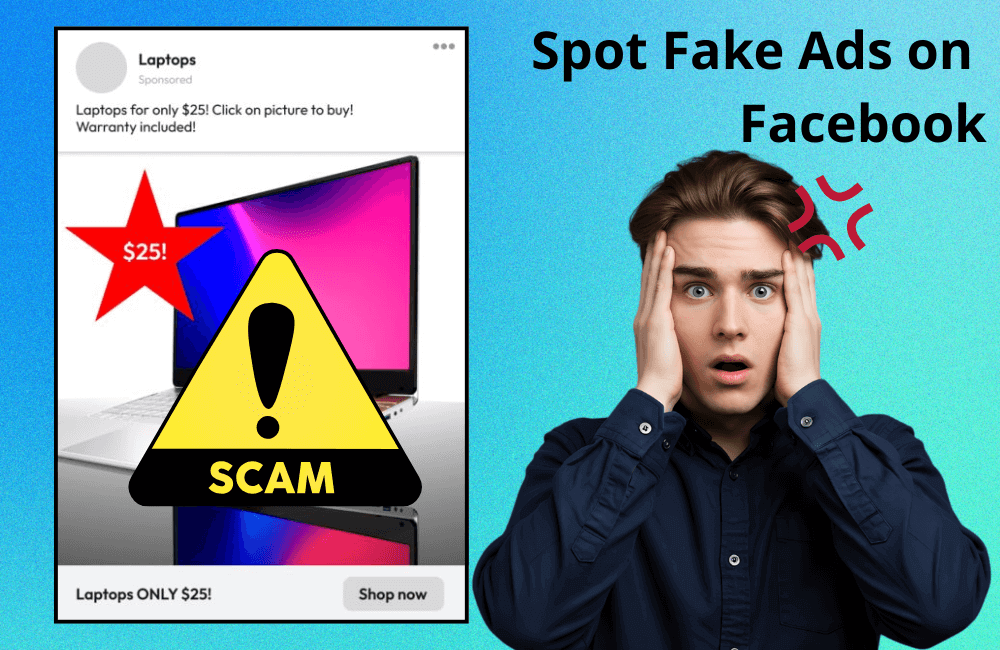
We all must feel annoyed when scrolling through Facebook and constantly encountering ads flooding the news feed. However, what is more concerning is that some sponsored ads are actually scams, becoming increasingly sophisticated and harder to detect. Have you ever seen a Porn ad on Facebook that made you curious? Chances are, it was a fake ad designed to steal your personal information or money.
In this article, BlackHatWorld will join you to learn how to identify fake ads on Facebook and why the prevalence of scam ads is rapidly increasing, helping users detect fraudulent ads early and protect personal information security while using social media.
The increasing situation of FAKE Ads on Facebook
Many of you must have wondered, “If scam ads are so dangerous, why do they still flood our news feed every day?” The answer is quite simple: because Facebook (Meta) earns most of its revenue from sponsored ads. Although Meta has repeatedly affirmed that they are making efforts to filter out fake ads, the slow processing speed and the platform’s enormous scale make this difficult. Therefore, Facebook users need to proactively protect themselves, carefully checking before clicking on any ad to avoid falling into sophisticated scams.
In 2025, fake ads on Facebook have dramatically exploded, reaching a new, alarming level. One of the main reasons is the emergence of artificial intelligence tools like ChatGPT, which helps scammers easily create engaging ad content with natural language and extremely authentic images. If previously fake ads were often easy to spot due to grammatical errors or poor-quality images, now, with the assistance of AI, they look almost indistinguishable from real ads. The two most common types of scam ads today include:
- Counterfeit branded fashion and accessories like Nike, Adidas, Gucci, or hot trend products are advertised at unusually low prices.
- Technology and financial investment, especially ads about cryptocurrency, AI, or “get-rich-quick opportunities” – often promising high returns in just a few days.
For example, you might see an ad for a pair of “100% genuine” Nike shoes with a 90% discount, or an “automated AI-profitable investment” program with thousands of shares. But when you click on it, you will be led to a fraudulent website where all your personal information or bank accounts could be stolen.
Technology is being exploited for malicious purposes.

When new technologies like AI emerge, they not only help legitimate businesses optimize ads but are also exploited by malicious actors for large-scale scams. Facebook’s advertising algorithms, originally designed to target potential users, are now being exploited in reverse. Scammers use your behavioral data and interests to create ads that are “right person, right need,” making you trust them more easily.
For instance, if you often search for “discounted sneakers,” you might immediately see an ad for “authentic Nike 80% off.” Or if you are interested in “online investing,” Facebook might display an ad for an “AI platform that helps earn 1000 USD per week.” Everything is presented highly professionally, with eye-catching visuals and persuasive content, but behind them are links containing malware or fake payment pages.
Currently, detecting fake ads is harder than ever because they are programmed to “slip past” Facebook’s automated filters. Meanwhile, Meta’s system is still struggling to keep up with the scammers’ pace of innovation, allowing many fake businesses and ads containing malware to easily appear before users every day.
Therefore, we advise frequent shoppers to always carefully check the brand information, the website link, and feedback from other users before clicking on any ad. With just one careless click, you could become the victim of a sophisticated, perfectly disguised scam.
How to Spot Fake Ads on Facebook Before You Click
In the era of strong growth in online advertising, encountering fake ads on Facebook is no longer uncommon. However, if we know how to identify them early, we can completely protect ourselves from being scammed or having personal information stolen. Below, we will guide you step-by-step on how to check and detect a suspicious ad before inadvertently clicking on it.
Check the product price
If an ad shows an unexpectedly low price, reduced by up to $70–90\%$ compared to the market, it is likely a scam. Scammers understand that “low prices” are always a factor that attracts consumers, especially during occasions like Black Friday or the year-end sale season. However, in most cases, the buyer will either not receive the goods or receive counterfeit, fake, or poor-quality items.
For example, if you see an iPhone 15 Pro advertised for only 9 million VND, it is definitely not a genuine deal. Always remember that some things sound too good to be true.
Checking image quality
Another easily recognizable sign is the image quality in the ad. Reputable and professional businesses always invest in sharp images with clear layouts that accurately represent the brand’s style.
Conversely, fake ads often use images that are blurry, distorted, pixelated, or taken from unofficial sources. For example, some “discount brand sales” ads show images with carelessly pasted logos or misspelled brand names, which is a clear signal that the ad is unreliable.
Pay attention to spelling and grammar errors.
Scammers often do not invest in content editing. As a result, fake ads frequently contain spelling mistakes, grammatical errors, or awkward phrasing. In contrast, large brands always have a meticulous marketing and content moderation team to ensure every ad is professionally presented.
Check the engagement level.
Pay attention to the ad’s likes, comments, and shares. A large, reputable brand typically receives high user engagement. If an ad appears to have no comments or shares, it is highly likely to be a newly created ad by a scammer intending to trick you into clicking the link.
Additionally, check the comments. If the comment section only contains general praises like “So good!”, “I bought it, got the product quickly!”, and those accounts look like bots, then this is a sign of a fake ad.
Consider branding
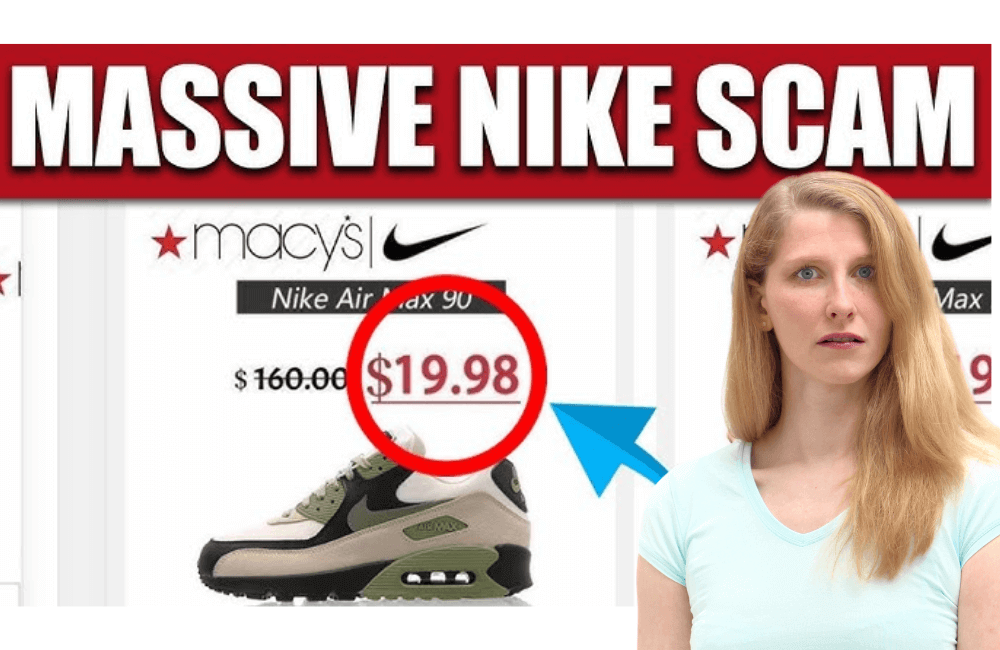
A reputable brand always has a clear logo, consistent color palette, and accurate brand name. Fake ads often use misspelled brand names or similar logo designs to deceive users. Be sure to compare carefully with the brand’s official website or verified Facebook page (blue checkmark) before trusting any ad.
Check payment method
A smart way to detect a scam website is to check the payment methods. For example, a fake website might state that they accept PayPal, but when you get to the actual payment step, PayPal is unavailable, and the only option left is to directly enter your credit card information. This is a major warning sign because fake sites often use this method to steal your financial data.
Beware of messages that urge action.
Scammers often create a sense of urgency by displaying messages like “stock running out,” “only 2 items left,” or “15 people are viewing this product.” Their goal is to pressure you into making an immediate purchase decision without taking time to verify the information. If you see such calls to action, remain calm and carefully check the website, reviews from other buyers, or search for the brand on Google before making a transaction.
Checking the domain name using the WHOIS tool.
Another helpful way is to use the WHOIS lookup tool to check the advertised website’s domain name information.
In fact, in the case of a fake “Vineyard Vines” website, when we performed a WHOIS lookup, the results showed the site was registered by a company in China and had only been active for a few days, which completely contradicts the well-known American brand. Typically, large companies have long-registered domain names, transparent ownership information, and often end with a legitimate “com” or “vn.”
How to protect yourself from FAKE Ads?
In an era saturated with ads across social media, especially on Facebook, self-protection against fake ads is essential. Not only general users but even legitimate advertisers need to be aware to avoid being implicated or unintentionally spreading fraudulent content. Below are practical ways to help us identify and prevent them effectively.
Search the original post content
One of the simplest yet highly effective methods is to copy the exact text of the ad content and paste it into the Facebook or Google search bar. If you discover multiple identical posts appearing on different pages nationwide, it is very likely a replicated scam campaign. Scammers often create a series of fake accounts to repost the same content, aiming to deceive users into thinking the ads are genuine and trustworthy.
Do not click directly on ads
A golden rule when using Facebook is to never click directly on a link within an ad if you are unsure of its reliability. Instead, go directly to the brand’s official website to verify promotion or offer information.
For example, if you see an ad offering a “70% discount on all Adidas products,” open your browser and visit adidas.com.vn instead of clicking the link embedded in the ad. This helps you avoid being redirected to a fake website that contains malicious code or a form that collects your personal information.
Install an ad blocker
Finally, a very effective precautionary measure is using an ad blocker extension on your browser. This tool helps block malicious or fraudulent ads before they even appear on your screen.
Popular extensions such as AdBlock, uBlock Origin, or AdGuard work well on browsers like Chrome, Firefox, or Edge. By installing them, you will significantly minimize the risk of accidentally seeing and clicking on fake ads, while also enhancing a safer web browsing experience.
Double-check your account URL
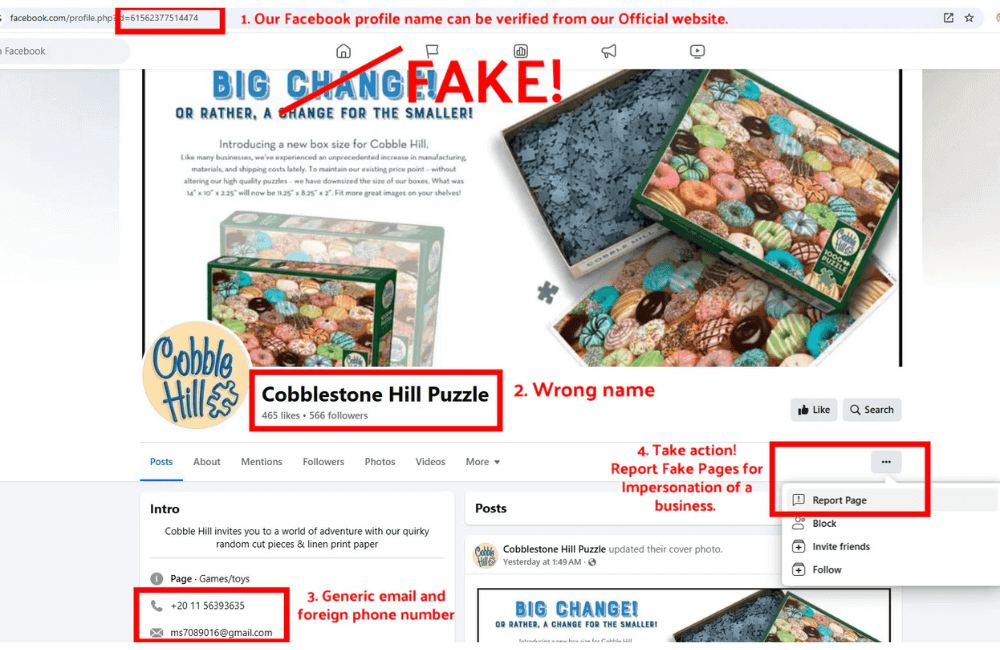
Sometimes, the name of the poster or the fanpage does not match the actual URL address. This is one of the common signs that the account or page may be fake.
For example, if you see a page named “Apple Vietnam” but the URL is facebook.com/applevietnam.abc123, it is highly likely a fake page impersonating the real brand. We encourage you to always double-check the URL and account verification information before interacting or making a purchase.
In today’s information-saturated social media environment, knowing how to detect and avoid fake advertisements on Facebook is an extremely important skill. By spending just a few seconds checking the content, URL, and source of the post, you can protect yourself from the risk of scams or personal information theft. Always be vigilant and only interact with ads from reputable, clearly verified brands.
Frequently asked questions
You can check by looking at the URL link, the post content, the image quality, and the level of engagement. If the ad is priced too cheaply or contains spelling errors, it is likely a scam ad.
Immediately close the website, do not enter any personal information, and change your Facebook account password and all related accounts. Additionally, you should report the ad to Facebook so the system can promptly handle it and protect other users.
💬 Contact now for free consultation from BHW!
- Website: https://vi.blackhatworld.io/
- Telegram: @bhw_agency
- Whatsapp: +84819001811
- Wechat: bhwagency
- Email: [email protected]
This article is also available in other languages:


